How to write captions with AI that don't sound like AI
Anyone can spot a caption written by AI now: the same rousing opener, a burst of emoji, three adjectives where one would do, and a promise nobody made. The fix is not to stop using AI. It is to stop asking it to invent. This is a way of working that keeps your voice, and how SPREVA's assistant is built for it.

Rodolfo MotaFounder of SPREVA
The short version
Write the first version yourself, even badly, and ask the AI to improve it rather than to write it from nothing. Steer it in one sentence, pick one of its suggestions, and edit that. Use it for the jobs it does well: shortening, fixing, translating, fitting a caption to another network's limit. In SPREVA, the assistant keeps your language, your links, @mentions and hashtags, never adds facts or prices that were not in your text, and changes nothing until you choose a suggestion.
Why AI captions sound like AI
The giveaways are easy to list:
- It was asked to invent. “Write a caption about our new menu” gives the model a topic and nothing else, so it fills the rest with what every caption says.
- The same openers, post after post: an exclamation, a question to the reader, “exciting news”.
- Enthusiasm nobody felt. Adjectives three deep, and claims that were never in the brief.
- Decoration instead of words: long dashes, a row of emoji, hashtags piled at the end.
None of this is the model's fault. It is what a model writes when it has to guess.
A way of working that keeps your voice
- 1
Write a rough first version. Two lines with the facts and one detail only you know: the price, the day, what a customer said.
- 2
Ask for an edit, not an invention. Improve writing, Make shorter and Fix spelling and grammar all start from your text.
- 3
Steer it in one sentence. Under Add guidance, say what you want: “keep it plain”, “no exclamation marks”, “end with the opening hours”.
- 4
Pick, then edit. Take the suggestion closest to you and change whatever still does not sound like you.
- 5
Read it aloud. If you would not say it to a customer at the counter, rewrite that line.
What SPREVA's assistant does, and does not do
The assistant in the post editor is built for that way of working:
- It keeps your language unless you ask it to translate, and keeps your links, @mentions and hashtags as they are.
- It never adds facts, prices or claims that were not in what you gave it.
- It offers up to three suggestions for most actions, and changes nothing until you press Use suggestion. Undo puts your text back.
- It respects each network's limit: Adapt for an account rewrites that account's text within its characters.
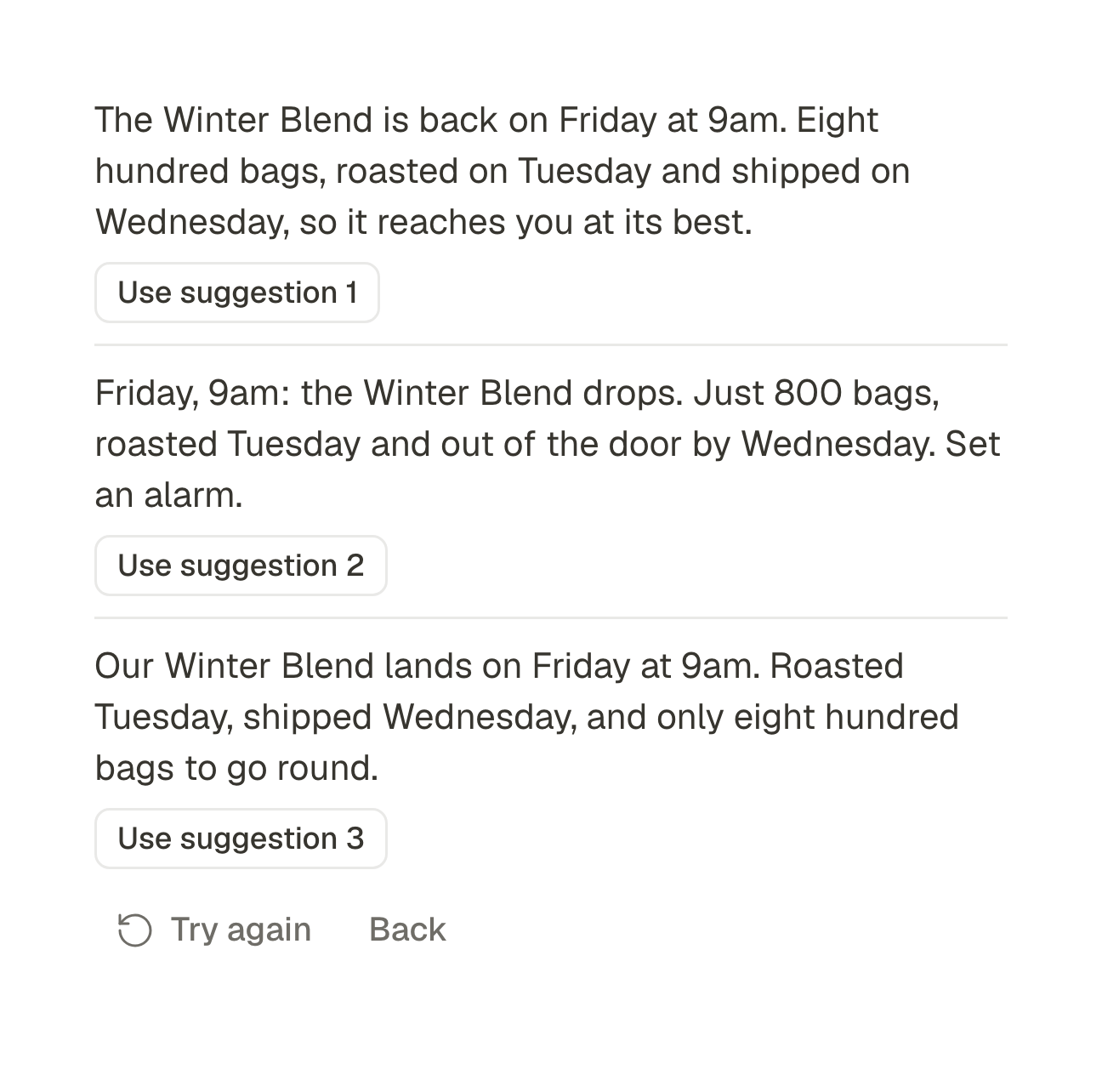
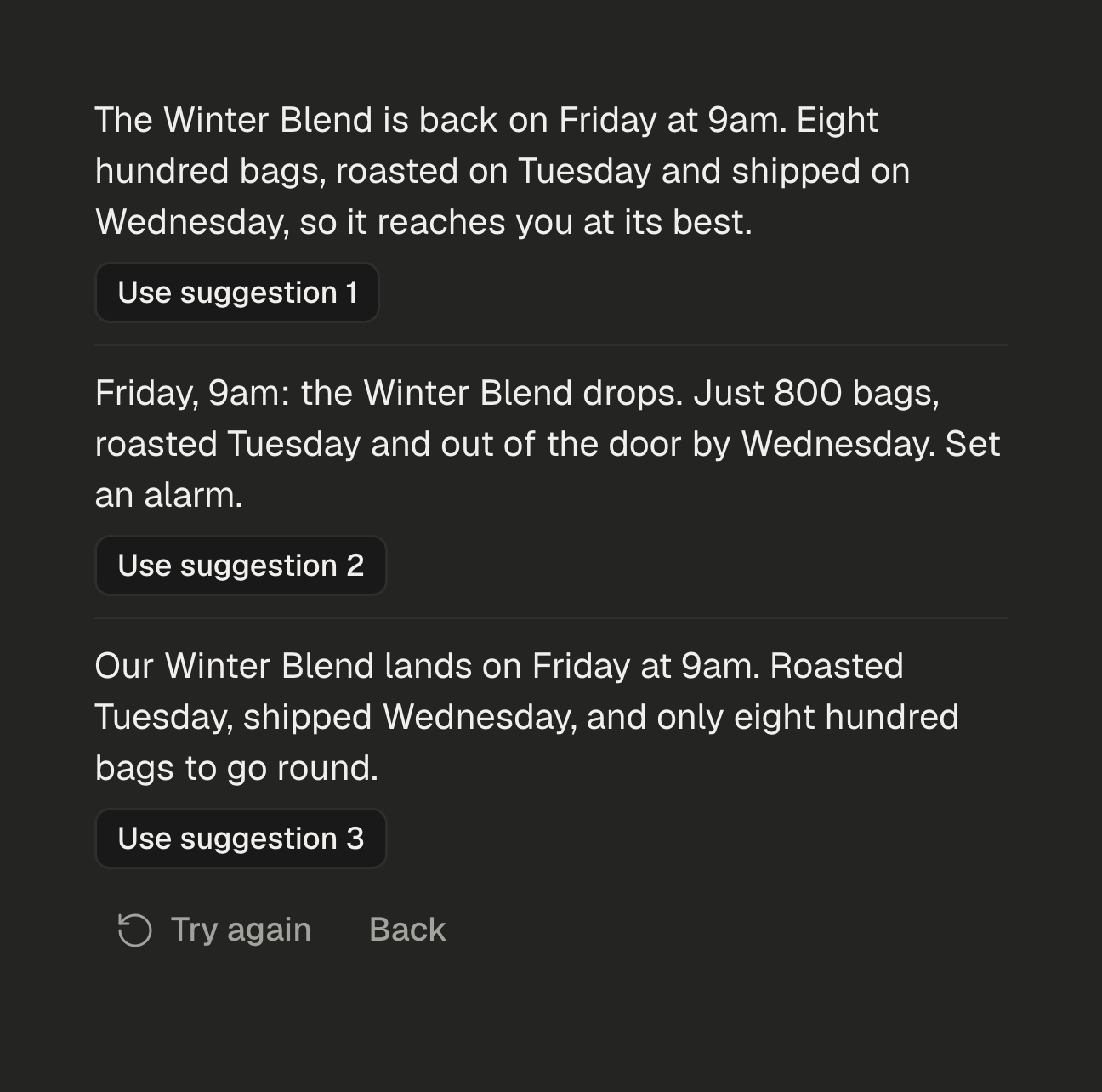
It does not know your brand voice or look at your photo yet: what it knows is what you write. That is why the rough first version matters. Each request costs 1 AI credit, whichever action, and every plan includes credits each month.
One voice, several networks
Write the main caption once. Under Per account, Adapt rewrites one network's version within its limit: a shorter one for X or Bluesky, a plainer one for LinkedIn. Suggest hashtags gives five to twelve for the main caption, and on Instagram a first comment can hold them instead. The text limit of every network.
With your own AI agent
If you write with ChatGPT, Claude or another agent connected to SPREVA, the agent writes the caption itself and saves it to the post. The same rule applies: give it your words first.
Here is my rough caption: “New pumpkin tart from Saturday, 4.50, only on weekends.” Tighten it, keep my words where you can, no exclamation marks, and write a shorter version for X. Save both as a draft.
Your workspace's rules decide what the agent may do on its own: saving a draft goes through, publishing right now asks you first.
Try it on your next post
Write two rough lines, ask for Improve writing with one sentence of guidance, and compare the suggestions with what you would have posted. Every plan starts with a 7-day trial with 300 AI credits.
Questions
Can people tell a caption was written with AI?
Often, when the AI wrote it from nothing. A caption that starts from your own words and is edited by you reads like you.
Will the assistant make things up?
It is told never to add facts, prices or claims that were not in your text, and to keep your links and mentions. Read each suggestion before you use it all the same.
Can it learn my brand voice?
Not yet. Give it guidance in a sentence each time, and start from your own first version.
How much does it cost?
1 AI credit per request, whichever action. Starter includes 500 credits a month, Pro 2000 and Business 6000.
Which languages can it translate into?
Nine: English, Spanish, European and Brazilian Portuguese, German, French, Japanese, Traditional Chinese and Italian.
Written by
Rodolfo Mota
Founder of SPREVA
Makes SPREVA in Portugal: the Studio, the tools an agent works with, and the publishing behind them.
Keep reading
- Character limits for every social network in 2026Instagram 2,200, LinkedIn 3,000, X 280, Threads 500, Bluesky 300: the text limit of every network SPREVA publishes to, in two tables, and how each one counts.
- How to adapt one post for Instagram, LinkedIn and XWrite one post and adapt it for Instagram, LinkedIn, X, Bluesky and Threads without rewriting it every time: a caption per network, each network's limits checked before it goes out, and scheduling on every account at once.
- A social media routine for a small business, in one hour a weekA weekly routine for a café, a salon or a shop: one hour to schedule a week of posts to Instagram, Facebook, Google and TikTok, and a look at what worked.