How to turn photos into a Reel with a voice-over and captions
You have ten good photos and no time to edit. This is how to get a 20 to 30 second vertical video out of them, with a voice, captions on every word and a scheduled post, in the app or by asking your AI agent.
The short answer
Upload the photos to SPREVA, say what the video is about, and choose the format, the length and a voice. SPREVA writes the script, records the voice, puts each photo and caption on the words it belongs to, and opens the result in Studio. Change what you want by asking, export it, and schedule it to Instagram, TikTok and YouTube, each in its own format.
Before you start
- Five to ten photos or short clips: JPEG, PNG, WebP, AVIF or GIF, or video up to 1 GB. HEIC is not accepted yet, so share iPhone photos as JPEG.
- A plan with Studio: Pro or Business. The 7-day trial includes 300 AI credits and 10 minutes of exports.
- The accounts you want to post to, connected to SPREVA. Instagram publishes only to professional accounts.
In the app, step by step
- 1
Upload the photos to Media. Each one is described as it arrives, so you can find it later by what it shows.
- 2
In Studio, choose New project, then From a script or an idea, and start From an idea.
- 3
Say what the video is about and who it is for, add any facts it should use under Notes, and pick 9:16 and a length.
- 4
Under Pictures, choose your photos, or a folder of them: each line of the script gets the one that shows what it says. Then pick music from your library, or none, and a voice.
- 5
Choose Make the first cut. SPREVA writes the script, records the voice and builds the video with captions timed to every word, and it opens in Studio. It says how many AI credits it may use before it starts.
No voice needed? Make a montage
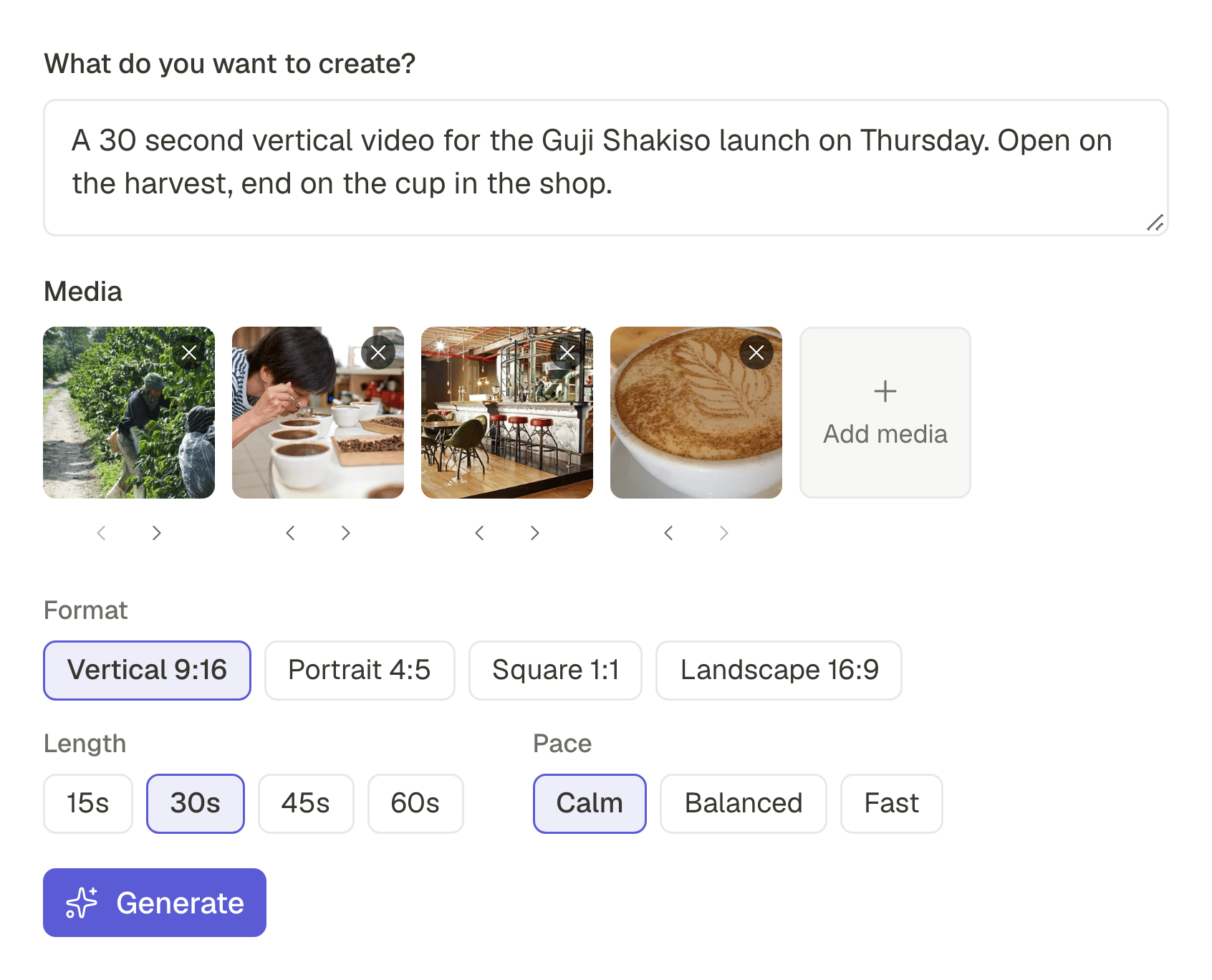
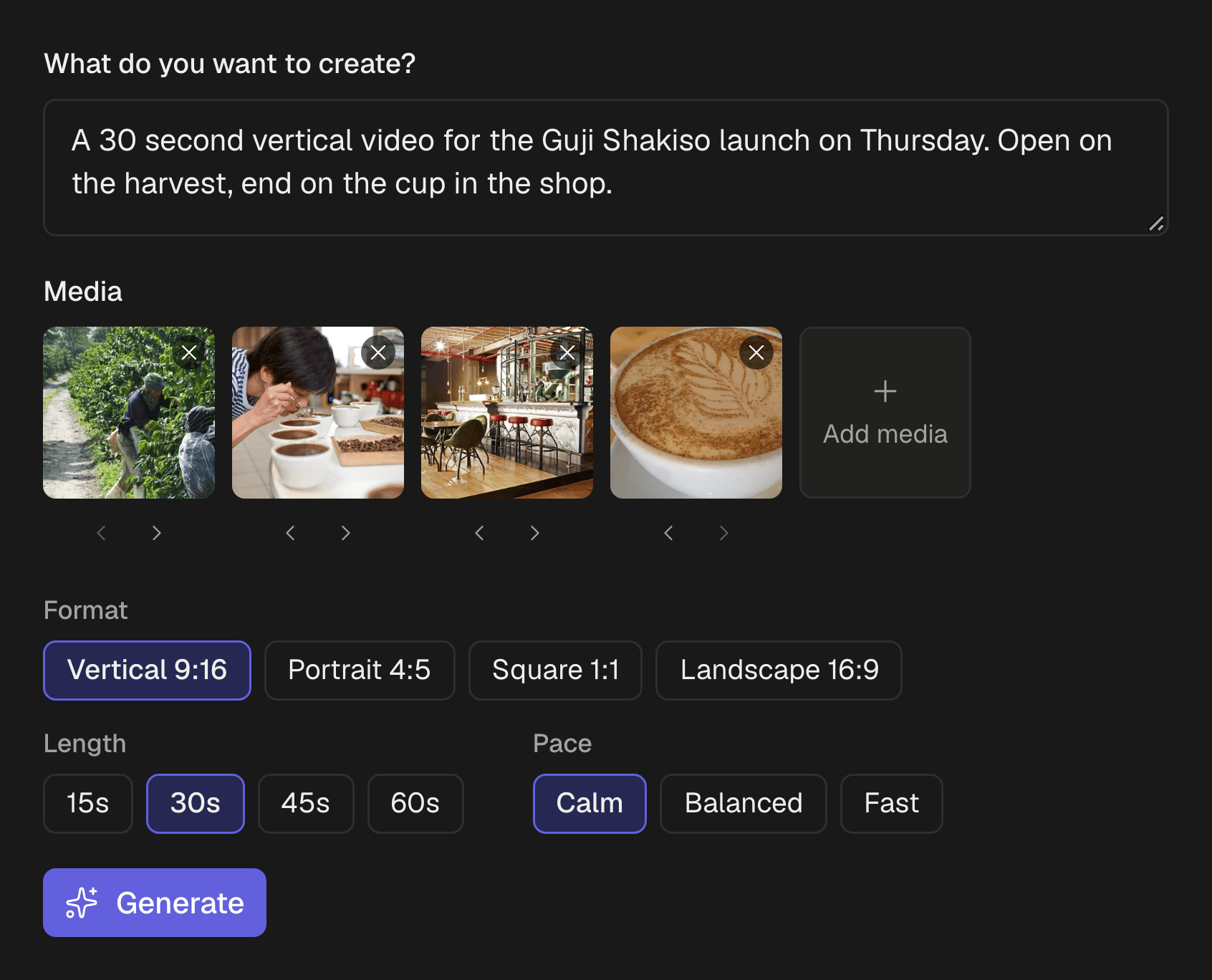
For a video set to music, choose Create with AI in Studio instead: write a line about the video, add your photos and clips, and set the format, the length and the pace, calm, balanced or fast. It builds an editable first cut on the timeline.
From ChatGPT or Claude
With your agent connected to SPREVA, ask for the whole thing in the chat:
Make a 25 second vertical video from the five photos I uploaded today for Saturday's tasting. Open on the beans, end on the cup, with a warm voice and captions.
The agent starts a project, writes the script, asks you before the voice-over uses AI credits, places each photo and caption on its words, checks the cut and exports it. Then ask for changes the way you would to a person:
Shorten the opening and use the photo of the bag instead of the cupping table. Keep the rest.
Only what you named changes: the voice, the captions and the other scenes stay where they were. It works the same in Claude, ChatGPT, Gemini or any agent that speaks MCP.
Change it by asking, or by hand
The video is a Studio project, so nothing has to be made again:
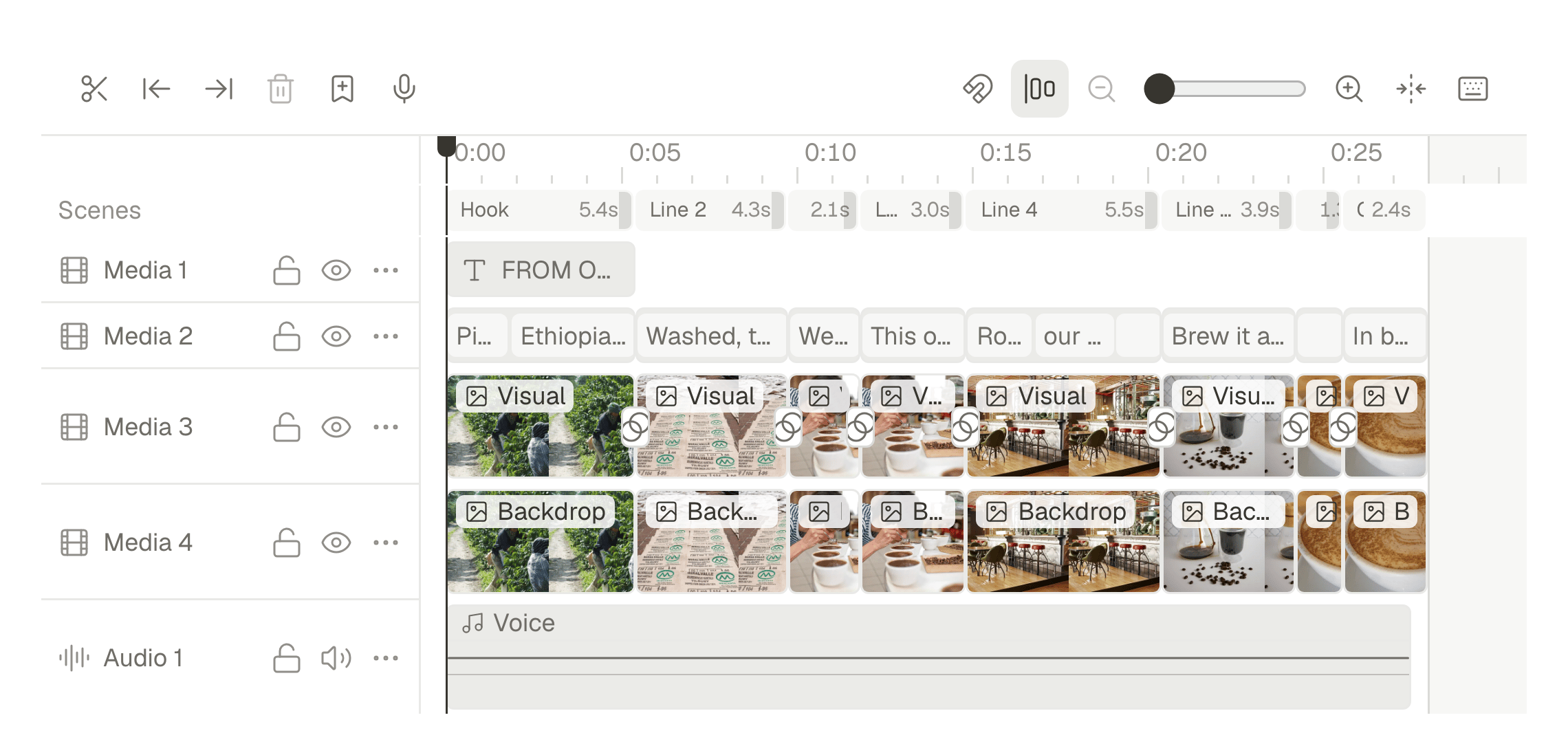
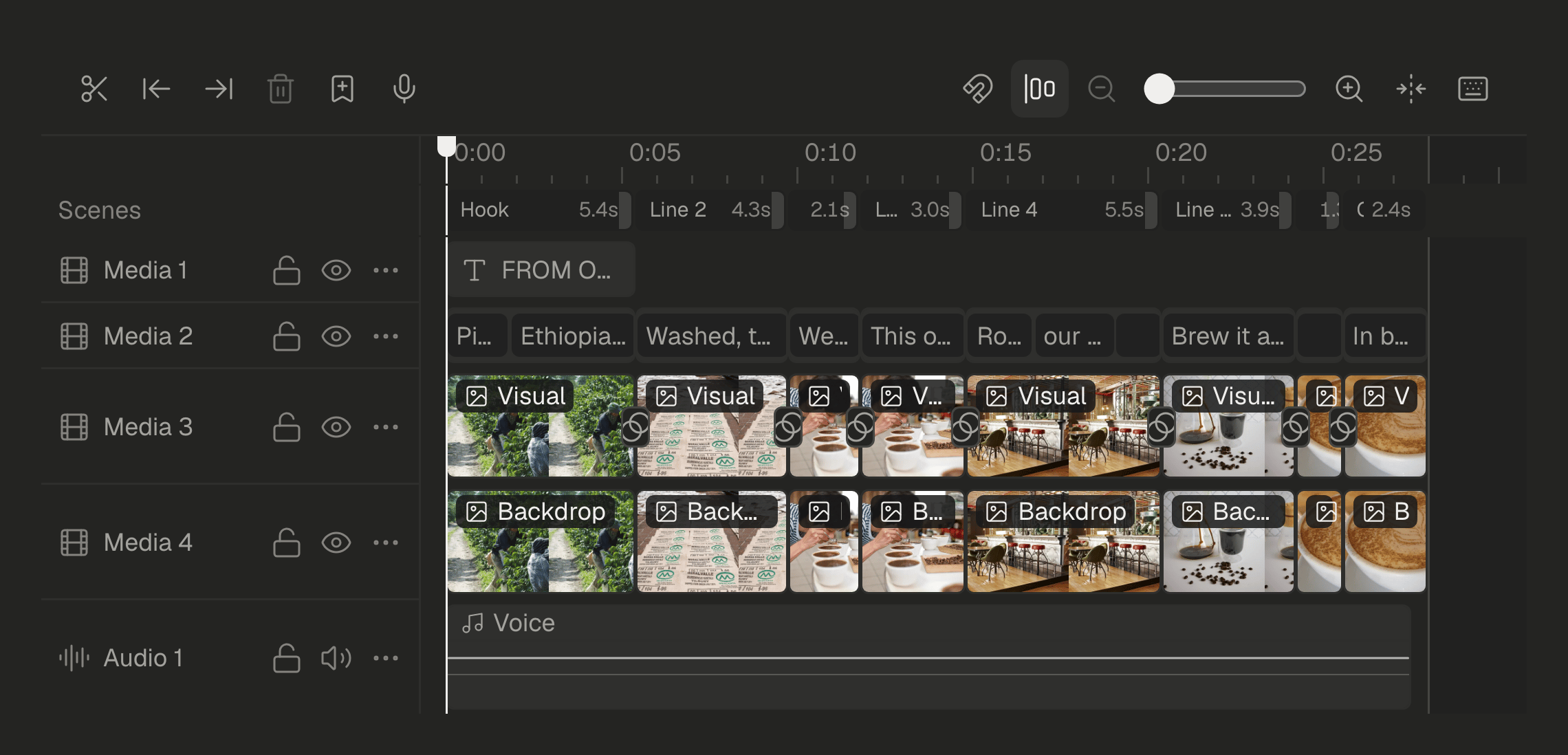
- Open the AI beside the editor and ask in plain words: “warmer colours on every shot”, “add a dissolve between shots”. Each request is one step you can undo.
- Or change it on the timeline: move a photo, trim a scene, restyle the captions, add your logo.
- Change the script later and the video can follow, scene by scene, and the narration can be recorded again.
- Export it as an MP4 into your library, ready for a post.
Schedule it everywhere
Put the exported video in a post, pick Instagram, TikTok and YouTube, and give any of them its own caption. It goes out as a Reel, a TikTok video and a Short. Publish now, on a date or through a queue. How to adapt one post for each network.
Questions
Do I need video editing skills?
No. You choose the photos and say what the video is for, and SPREVA makes the first cut. Change it by asking, or open the timeline if you want to.
Can I choose the voice?
Yes. Pick a voice after hearing a preview. The voice-over uses 1 AI credit per 100 characters of script, and SPREVA tells you before it records.
Which languages can the voice speak?
Scripts can be written and narrated in 30 languages, from English and German to Japanese and Hindi.
Can I add music?
Yes: a track from your library plays quietly under the voice and fades out at the end, or choose none.
Which plan do I need?
Studio comes with Pro and Business. Pro includes 120 minutes of exported video a month and Business 400. Every plan starts with a 7-day trial.
Can I make a square or horizontal version too?
Yes. Studio has ten formats, from 9:16 to 2.35:1, including 1:1 and 16:9.
Keep reading
- How to adapt one post for Instagram, LinkedIn and XWrite one post and adapt it for Instagram, LinkedIn, X, Bluesky and Threads without rewriting it every time: a caption per network, each network's limits checked before it goes out, and scheduling on every account at once.
- How to cut a podcast or a stream into clips for TikTok and ShortsTurn one podcast episode or stream into up to 10 vertical clips with captions: find the moments worth sharing, cut on whole sentences, lay out the cameras, and schedule the clips to TikTok, YouTube Shorts, Reels and LinkedIn.
- Small businessesYour photos as Reels, posters and posts everywhere.