Studio
From an idea, a script or a few photos to a video you can post.
Studio writes the script if you need one, records the narration and builds a first cut with your pictures, music and captions. Then you finish it on the timeline, by hand or by asking the AI for changes.
Scripts and video
From what you know to a narrated video.
Give SPREVA your documents, links and notes. Write a script that keeps track of its facts as you go, then produce it: narration, scenes and captions, ready to edit in Studio.
Scripts and Studio come with the Pro plan.
01
Bring your context
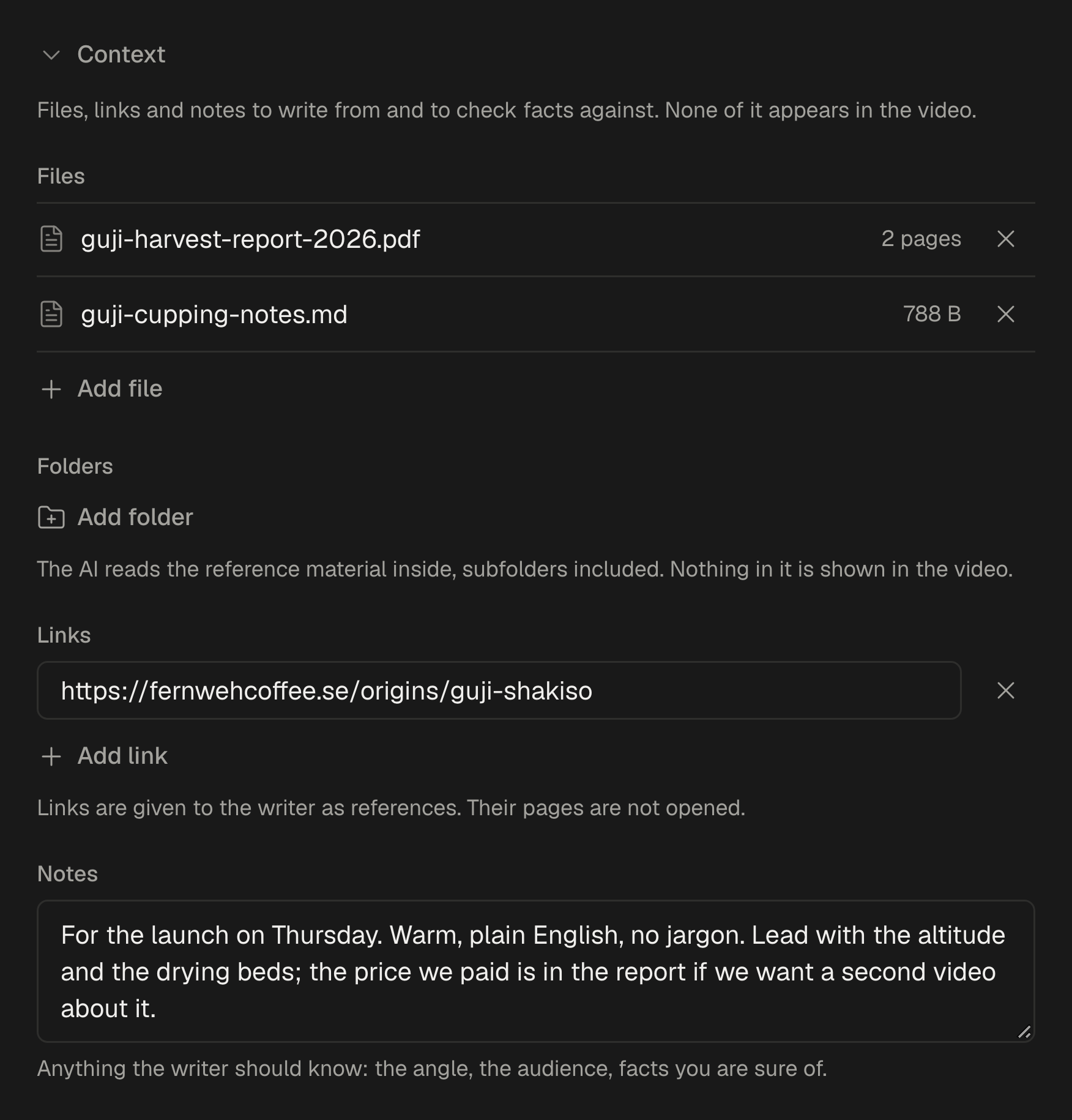
Attach up to five documents from your library, up to three folders of reference material, up to five links and your own notes. The writer takes its facts from there, and none of it appears in the video.
- Every fact comes with the source it was taken from.
- Links are kept as references for you. Their pages are not opened.
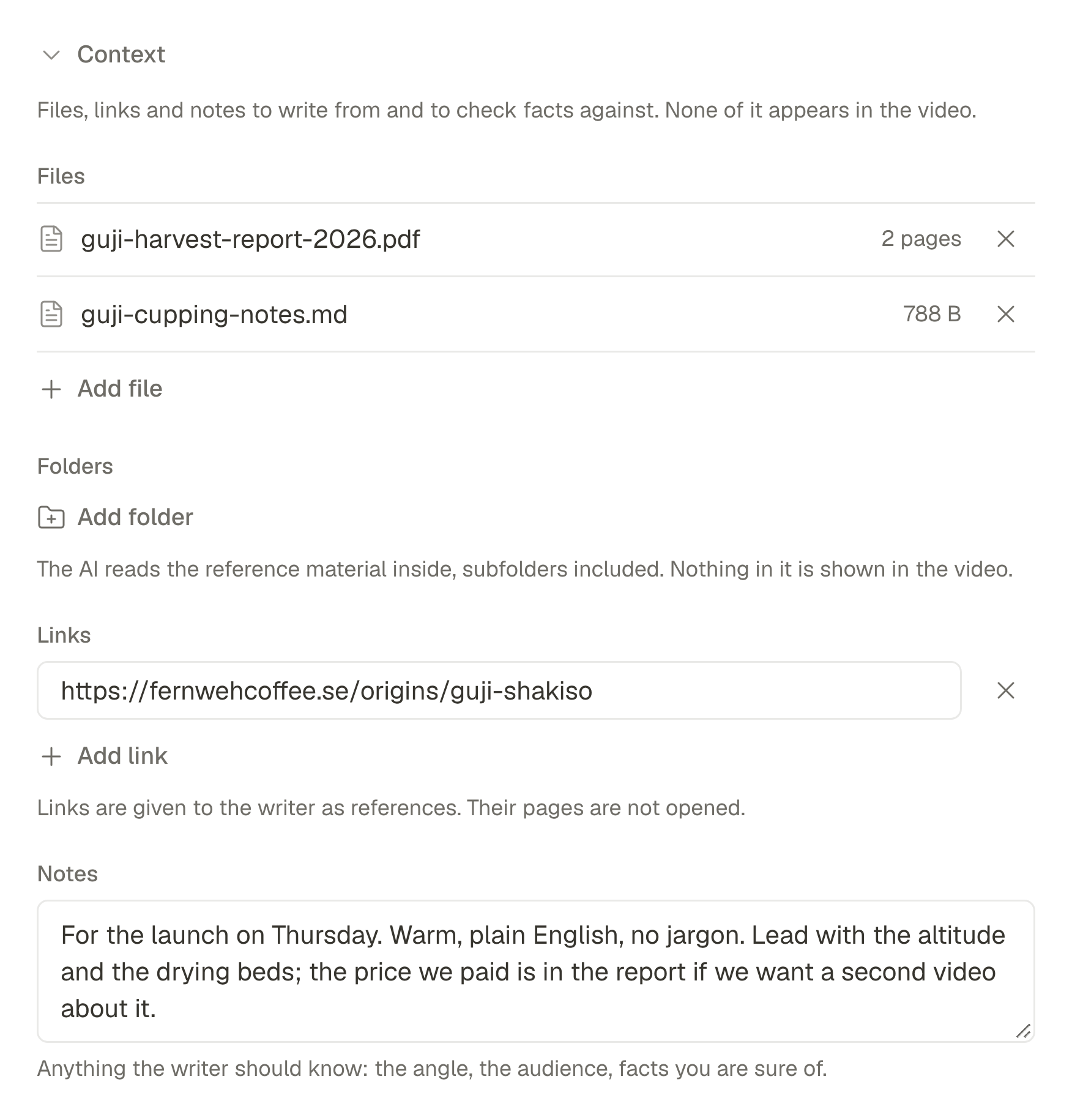
The context a script is written from 02
Write the script, checked as you write
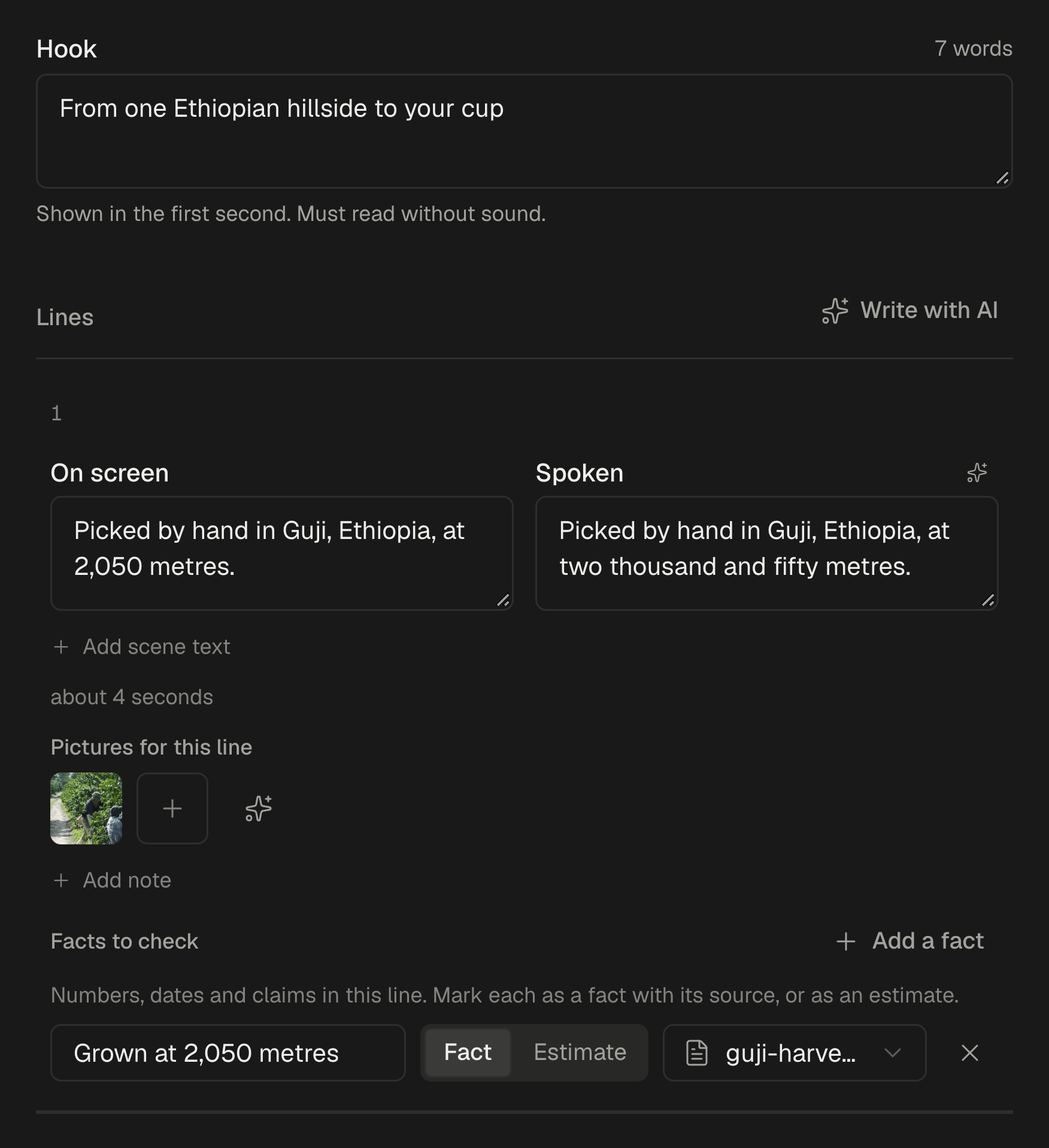
A hook of a few words that works without sound, then the lines: the text on screen, what the voice says and up to two pictures each. Write it yourself, or let the AI draft it from your context or improve what you wrote.
- Three kinds of video: narrated by an AI voice over your pictures, cut from a video where you do the talking, or a montage of short text set to music.
- Curiosities, news, promo, how-to, story or free, written and narrated in any of 30 languages, from English and German to Japanese and Hindi.
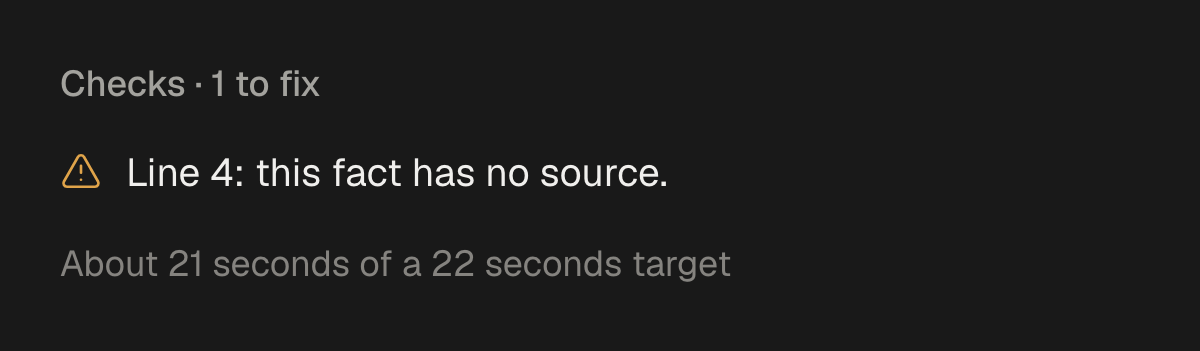
- The Checks panel flags a long hook, a line with nothing to say, a fact without a source or a length off target. A script with errors cannot be marked ready.
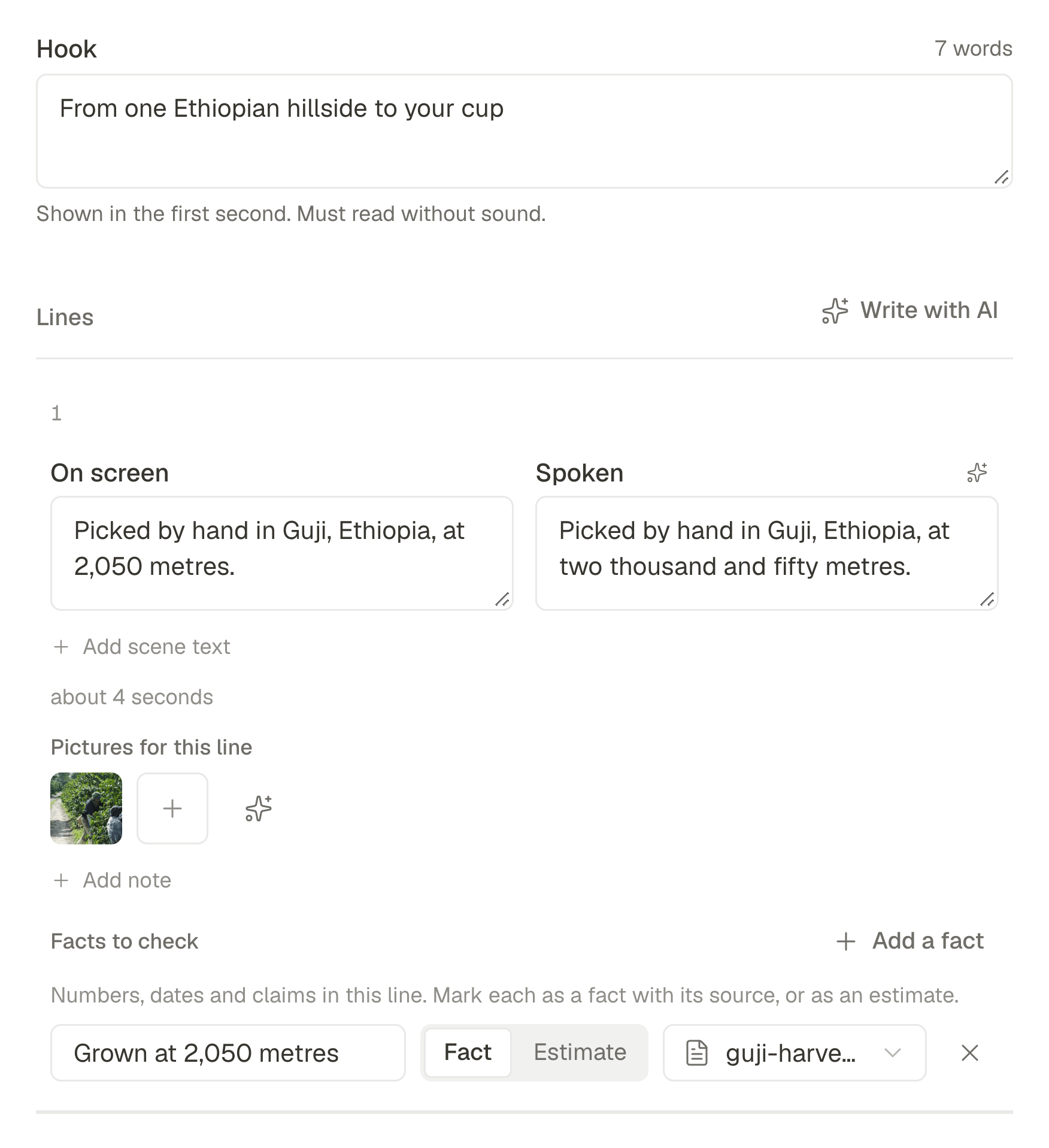
A script, line by line 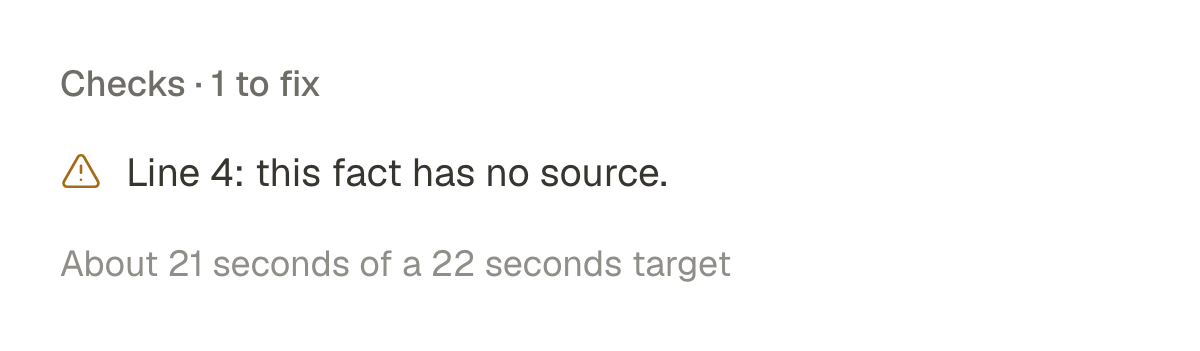
Checks, updated as you type 03
Produce it in Studio
Choose a voice after hearing a preview. SPREVA records the narration and builds the video in your video style: scenes, your pictures and captions timed to every word.
- No script yet? Start from an idea in Studio: the script is written for you, and pictures, voice, music and transitions come together in a first cut.
- A video style sets the look: layout, captions, hook, motion, transitions and brand. Edit your own, or ask the Agent for one like a video you like.
- Change the script later and the video can follow, scene by scene.
- Record the narration again whenever the words change.
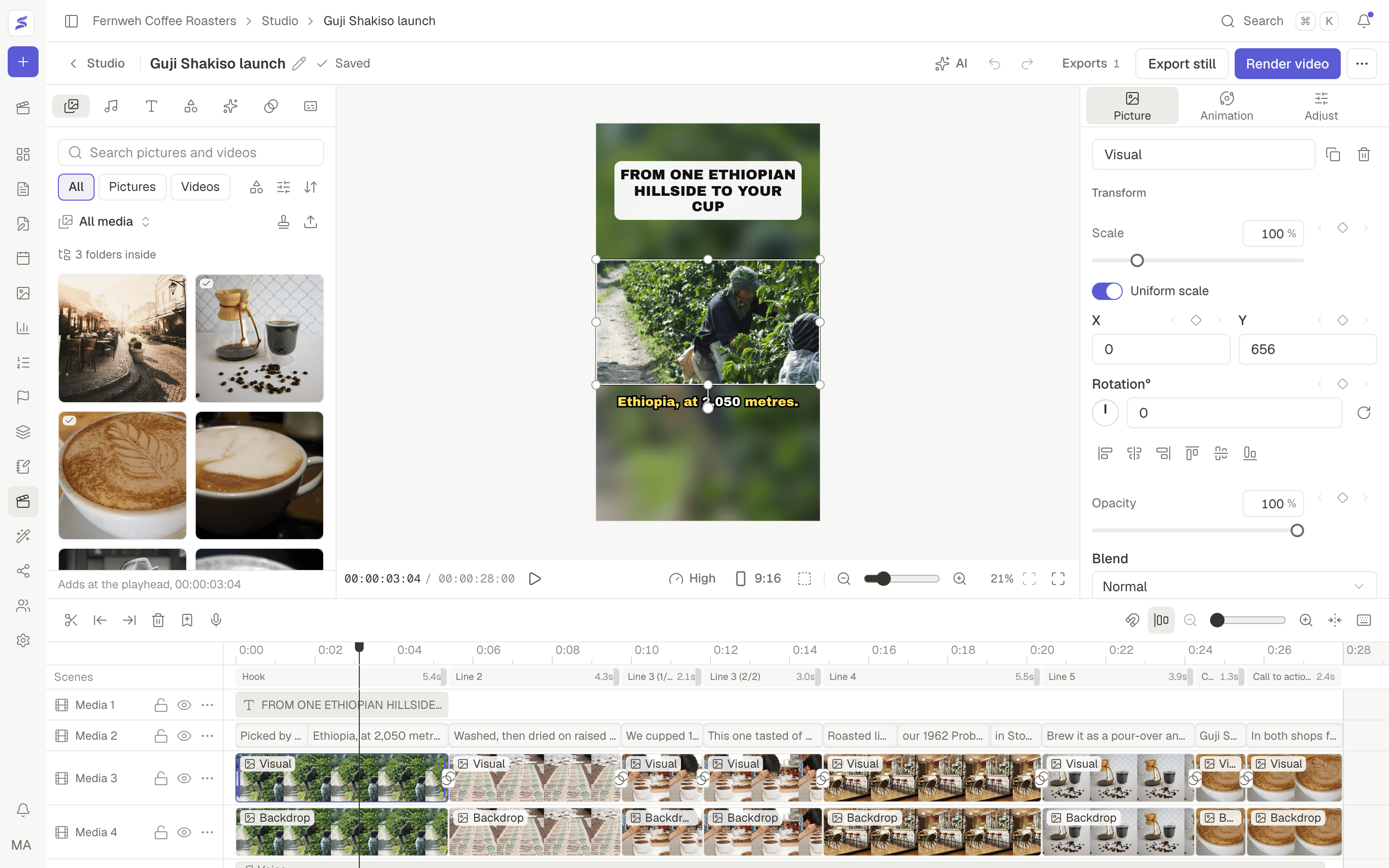
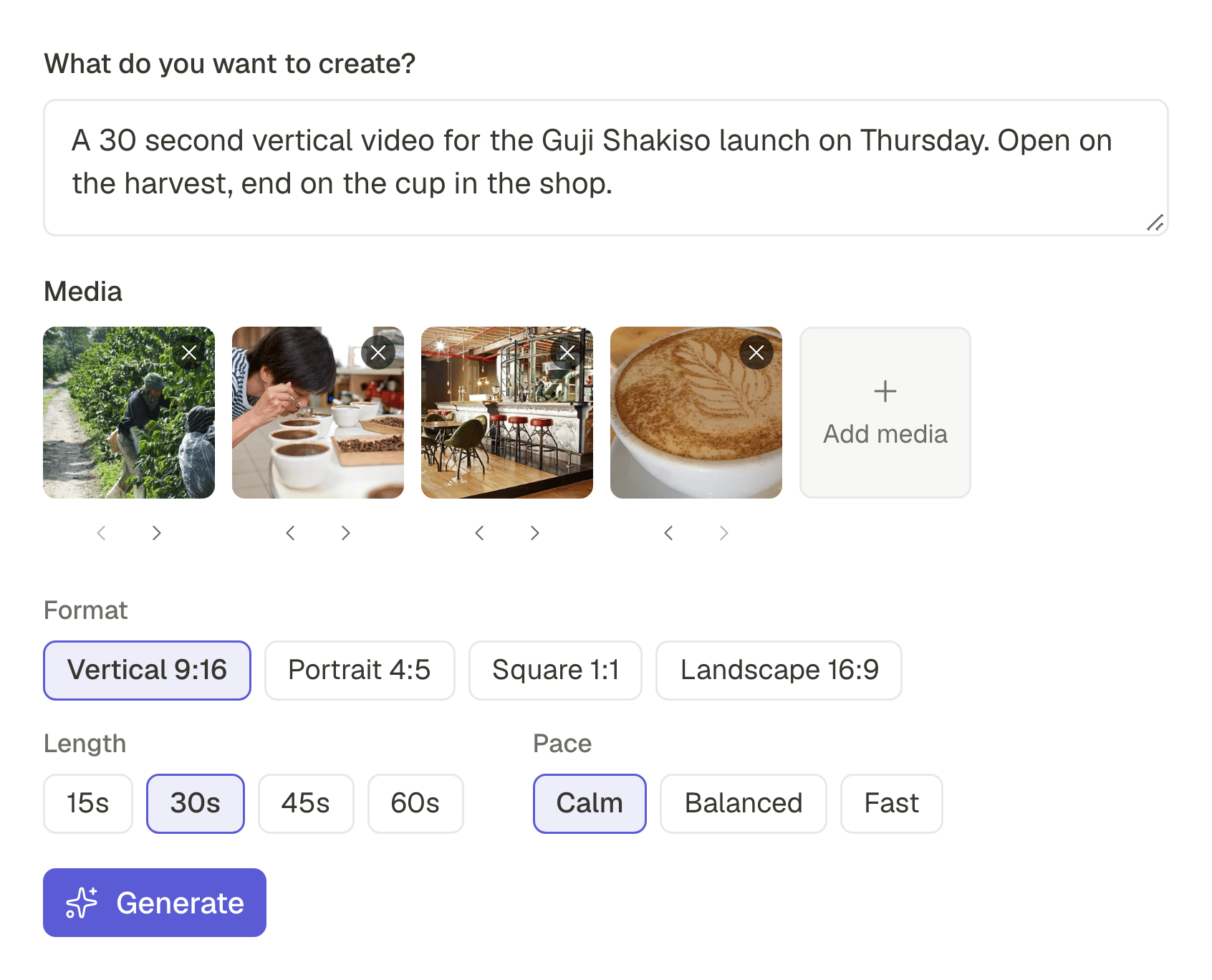
Or start from your photos.
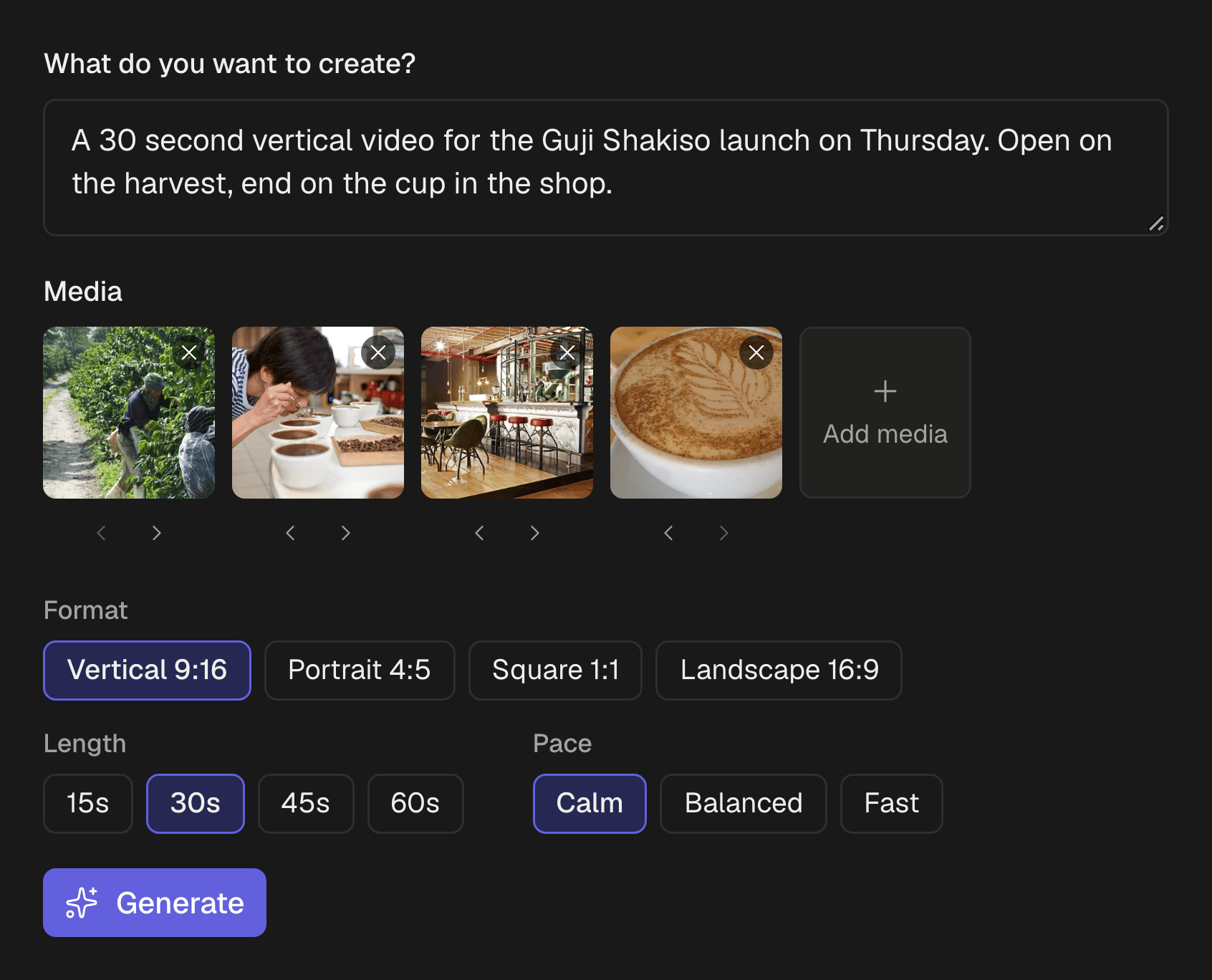
Write a brief, choose photos and clips, and set the format, the length and the pace: calm, balanced or fast. Create with AI makes an editable first cut.
Then open the AI beside the editor and ask for changes in plain words, like “add a dissolve between shots” or “warmer colours on every shot”. Each request is made in one step you can undo.
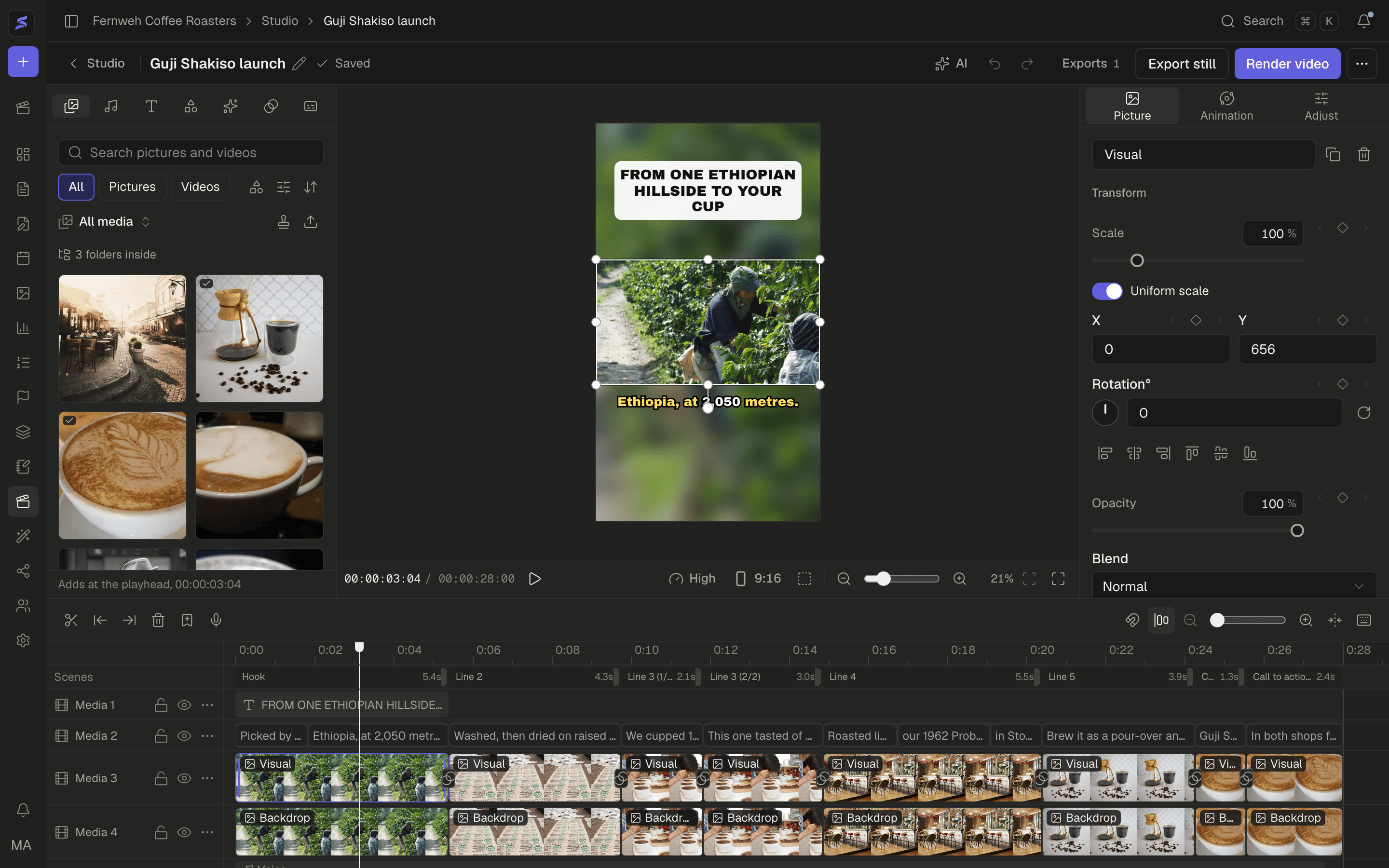
Everything stays editable in Studio
Your media, sound, text, effects and transitions on one side, the player in the middle, the tools for what you selected on the other, and every track full width below.
- Tracks for pictures, clips, text, shapes and sound, with keyframes for position, scale, rotation, opacity and volume
- Ten formats from 9:16 to 2.35:1, with safe areas, zoom and full screen in the player
- Thirteen transitions for the cut between two clips, from a dissolve to a push or a spin
- Effect layers such as shake, glitch or film grain, applied to everything on the tracks below
- In, Out and Combo animations on pictures, clips, text and shapes
- Colour: exposure, temperature, HSL, curves and colour wheels, plus masks, crop and straightening
- Speed from 0.1x to 10x or along a curve with the pitch kept, and slow zoom and pan with a focus point
- Voice, music and clip sound with fades, and takes you record from your microphone
- Captions that highlight the word being said
- Scenes: hook, context, evidence, payoff, call to action
- Templates in your brand kit's colours, font and logo, plus your intro and outro
- MP4 videos and PNG stills, saved straight into your library, ready to post