A social media routine for a small business, in one hour a week
Ana runs a bakery with two people and no marketing budget. Social media gets what is left of Monday afternoon, which is about an hour. This is the routine that fits in it: the same five steps every week, posts on four networks, and one look at the numbers on Friday.

Rodolfo MotaFounder of SPREVA
The short version
Take photos while you work. Once a week, put them into SPREVA, write each post once and adapt it per network, and add the posts to a queue that holds your posting times. On Friday, look at what worked. Instagram, Facebook, your Google Business Profile and TikTok can all go out from the same post. Replies to comments and reviews stay in each app.
The week, in five steps
An hour is enough when the same things happen in the same order:
- 1
During the week, a few minutes a day: photos of what you make, sell or do. Good light, the thing itself, a few angles. Nothing more.
- 2
Monday, ten minutes: drop the week's photos into the media library, from your computer or your phone. Each one is described as it arrives, so you can find it later by what it shows.
- 3
Monday, half an hour: write four or five posts. Write each once, and adapt it where a network needs it under Per account.
- 4
Monday, five minutes: add them to your queue. The queue holds your posting times, say Tuesday, Thursday and Saturday at 9:00, and each post takes the next free one, in your time zone.
- 5
Friday, ten minutes: open Analytics, look at Best content, and plan more of what worked for next week.
Four networks, and what each one gets
Each network is worth posting to for its own reason:
- Instagram: the photos at their best, a carousel of up to 10, and a Story for today's special.
- Facebook: the same photos on your Page, with the practical details: hours, prices, the link to order.
- Google Business Profile: one photo and a Learn more link on the listing people see when they look you up on Maps. How to schedule Google Business Profile posts.
- TikTok: a short video when you have one. The same vertical video can go to Instagram as a Reel.
Where the AI saves time
Every plan includes AI credits each month, and the jobs a small business repeats cost little:
- Captions: write, shorten, change the tone, translate for visitors, or adapt for one network. A caption costs 1 credit.
- Hashtags and a first comment, suggested from your caption.
- Alt text for each photo, suggested and never saved without your look.
- Posters from a photo, made in Agent in the sidebar: a tall version with a headline, 10 credits an image.
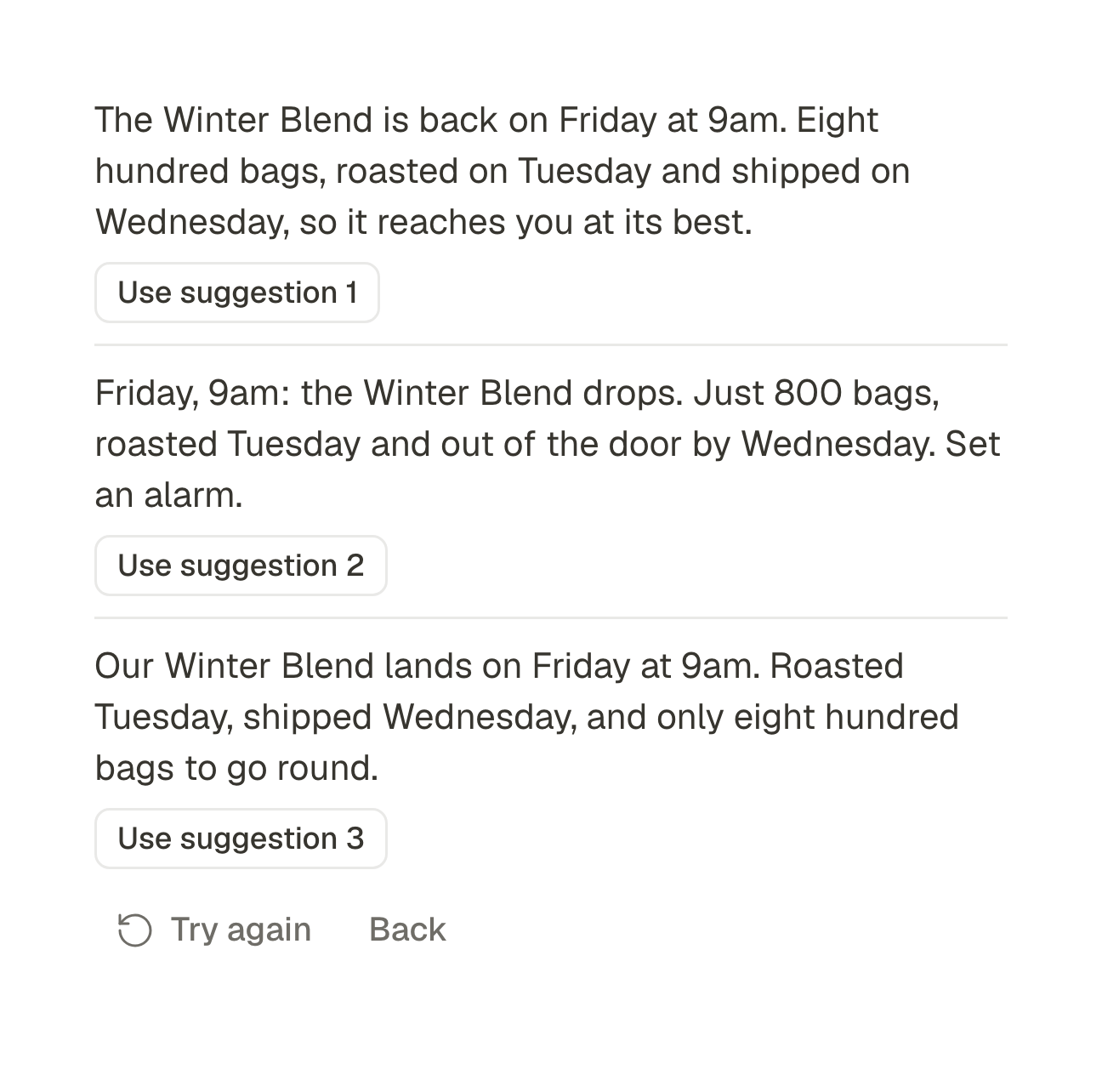
What it does not replace is knowing your customers. Read each caption before it goes: the assistant suggests, you decide.
Photos into a short video
On Pro and Business, Studio turns a handful of photos into a short vertical video with captions, and a voice if you want one, without editing skills. It suits the weeks with something new to show. How to turn photos into a Reel.
What stays in the apps
SPREVA makes, schedules, publishes and reports. Replies to comments, messages and Google reviews stay in each app. Give them a few minutes a day: for a small business, an answered review is often worth more than another post.
When someone helps
Invite a colleague or a family member to the workspace with a role. As an Editor they can write posts and send them to you for review, and nothing goes out until you approve it. Starter has room for 3 people, Pro for 10.
Try it next Monday
Connect your accounts, make a queue with three times a week and spend one hour on next week. Every plan starts with a 7-day trial with 300 AI credits. SPREVA for small businesses.
Questions
Can I do it from my phone?
Yes, in the phone's browser: SPREVA's screens fit a phone, and photos can be uploaded from your photo library. Photos from an iPhone in HEIC need exporting as JPEG first. There is no app to install.
Does SPREVA answer reviews, comments or messages?
No. SPREVA makes, schedules, publishes and reports. Replies stay in each network's own app.
Do I need design or video skills?
No. Photos from your phone are enough for posts, and on Pro and Business, Studio turns them into a short video with captions.
Which plan does a small business need?
Starter covers posting everywhere, with AI for captions and images. Pro or Business add videos made from your photos. Every plan starts with a 7-day trial.
How many accounts can I connect?
5 on Starter, 15 on Pro and 40 on Business. Each Google Business Profile location counts as one account.
Written by
Rodolfo Mota
Founder of SPREVA
Makes SPREVA in Portugal: the Studio, the tools an agent works with, and the publishing behind them.
Keep reading
- How to schedule Google Business Profile posts, for one location or manySchedule Google Business Profile updates with a photo and a Learn more button, for one location or many: how it works in SPREVA, and what Google allows.
- How to post to Instagram from your computer, and schedule itYes, you can post to Instagram from a computer: feed posts, carousels, Reels and Stories, scheduled ahead. How it works in SPREVA, and what it checks first.
- How to turn photos into a Reel with a voice-over and captionsTurn a few photos into a vertical Reel with an AI voice-over and captions timed to every word, change it by asking, and schedule it to Instagram, TikTok and YouTube Shorts. Step by step, in the app or from ChatGPT or Claude.