Your client approves. Then it goes out.
Send each post to your client with its time already chosen. They approve it or send it back with a note, and a post that waits for them never goes out on its own.
Your client sees the post, and nothing else.
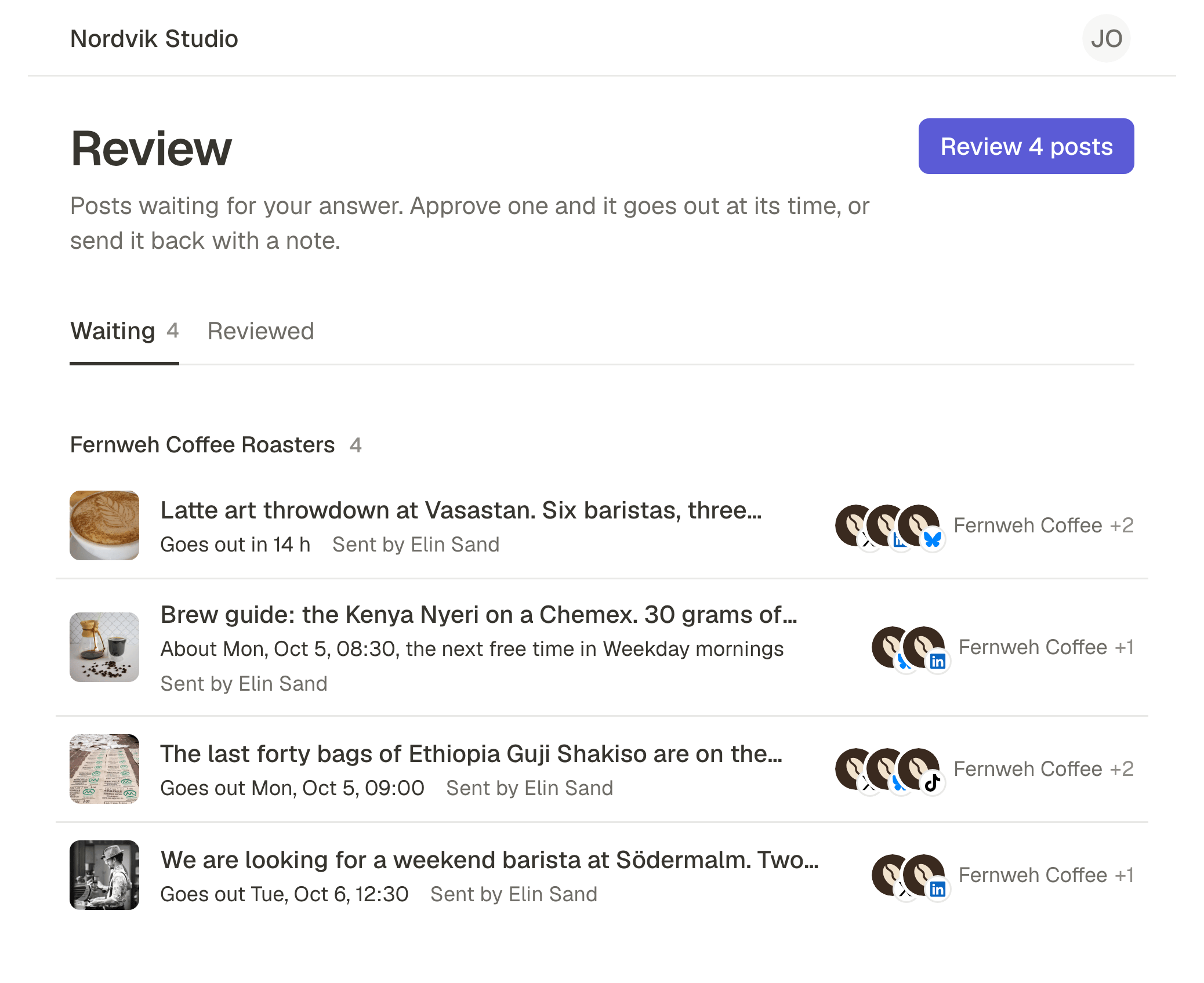
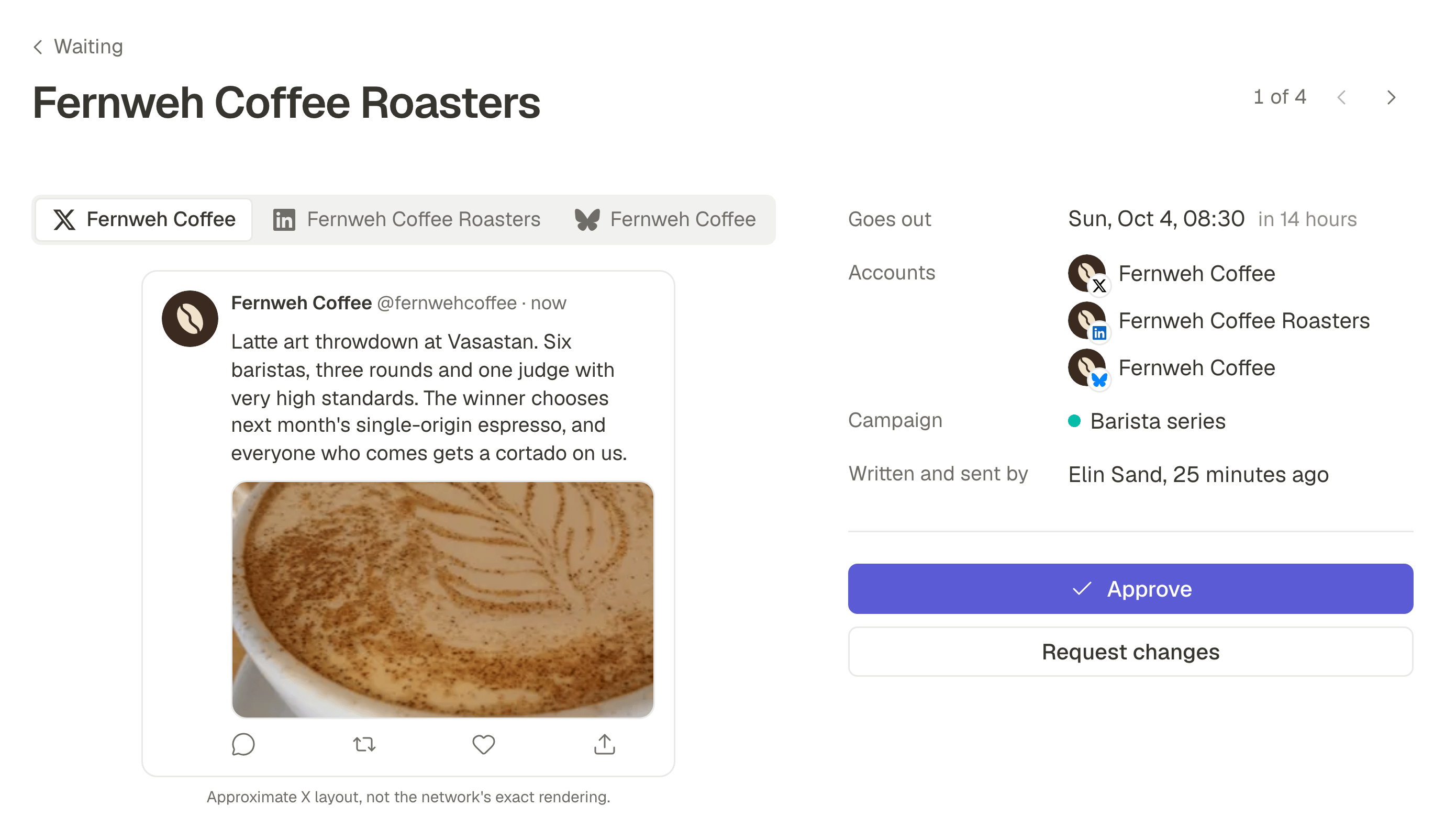
Invite them as a Reviewer. They sign in with a link sent to their email, with no password, and find only the posts waiting for their answer: one at a time, as the network will show it, with every word of the caption.
One inbox for every brand
Someone who approves for several of your workspaces finds every waiting post in one list, soonest first.
Approve, or send it back with a note
Approved, the post is scheduled for the time your team chose. Sent back, it is a draft again, with the note at the top for whoever wrote it.
Made for a phone
The post, its caption and both answers fit on a phone screen, in the browser. There is nothing to install.
Nothing else of your workspace
A Reviewer never sees your calendar, your other drafts, your accounts or your team, and cannot edit a post: what they want changed, they ask for.
Adding a client costs nothing.
Reviewers take no seat on your plan. Invite up to 25 per workspace, on every plan, and keep your seats for the people who write the posts.
Invited by email
Choose Reviewer when you invite someone from Team. Their email says who prepares the posts and for which company.
The time is chosen first
Your team picks a date or a queue, then presses Send for review. Approving asks your client nothing more: the post is scheduled the moment they say yes.
Approval can be required
Turn it on for a workspace and every post needs an approval before it is scheduled. Owners and Admins can still schedule one that cannot wait, and that is recorded.
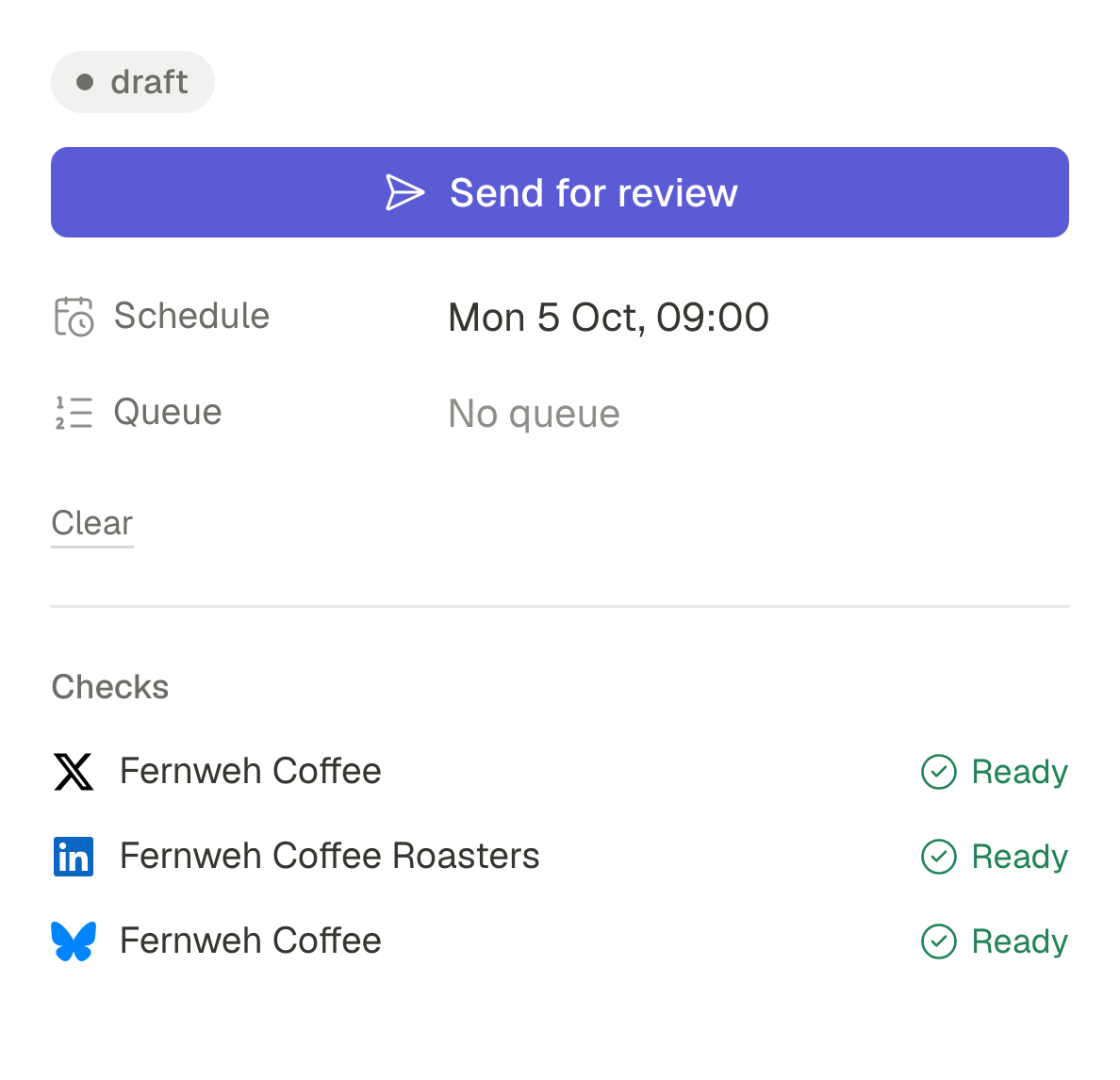
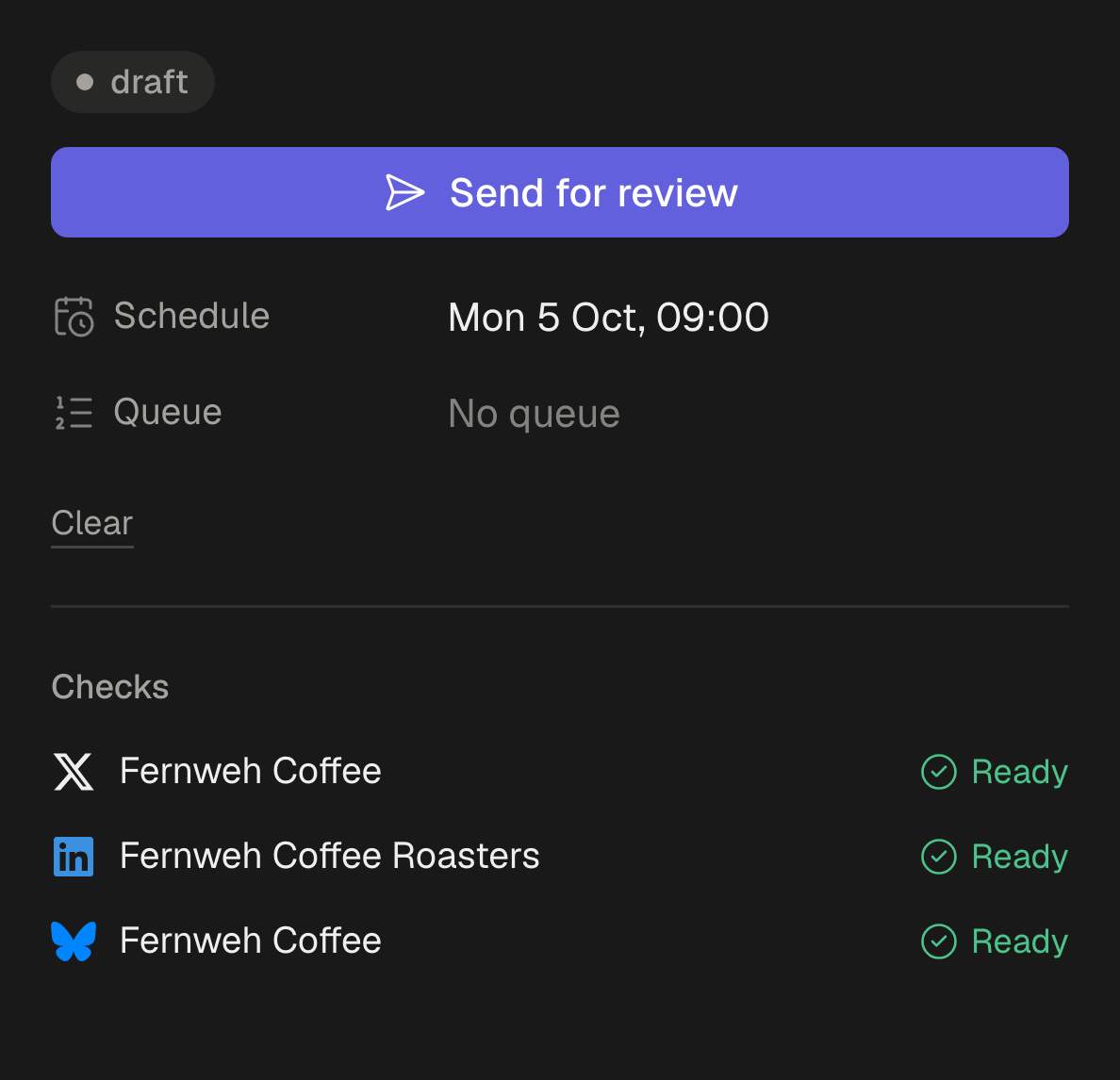
What happens when nobody answers, or the post changes.
Nothing goes out by accident, and everyone involved hears about it by email.
Nobody answered in time
A post still waiting when its time comes is not published. It goes back to whoever wrote it as a draft, and they get an email, so they can choose a new time and send it again.
The post changed after it was approved
Change the words, the pictures or the accounts of an approved post and it goes back to your client for approval. Move only its time and it stays approved, with the move on its record.
Everyone hears by email
Your client gets one email when posts are waiting, not one per post, and a reminder the day before the first one is due. Whoever wrote a post is emailed when it comes back with a note or runs out of time.
A record of every approval.
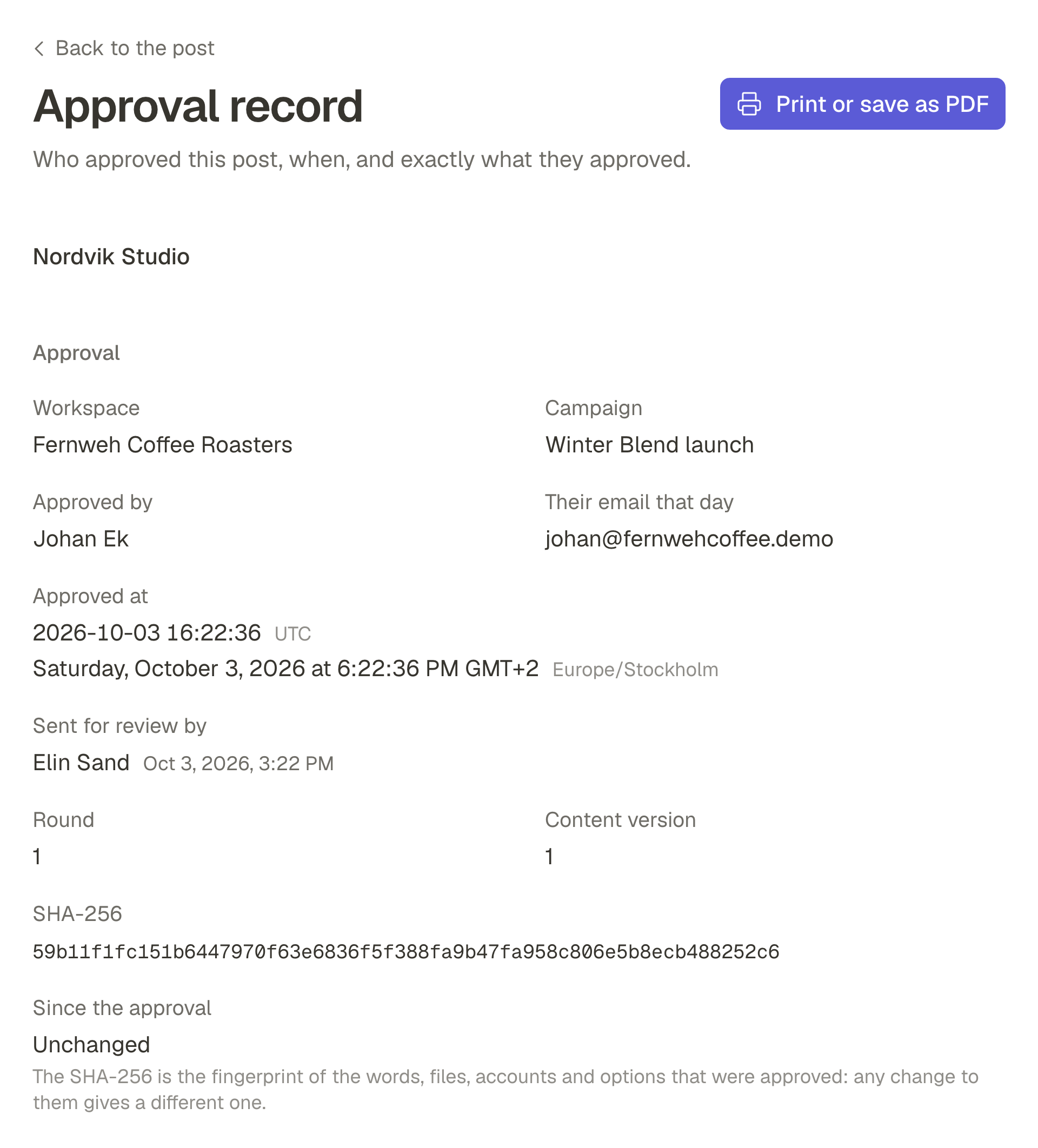
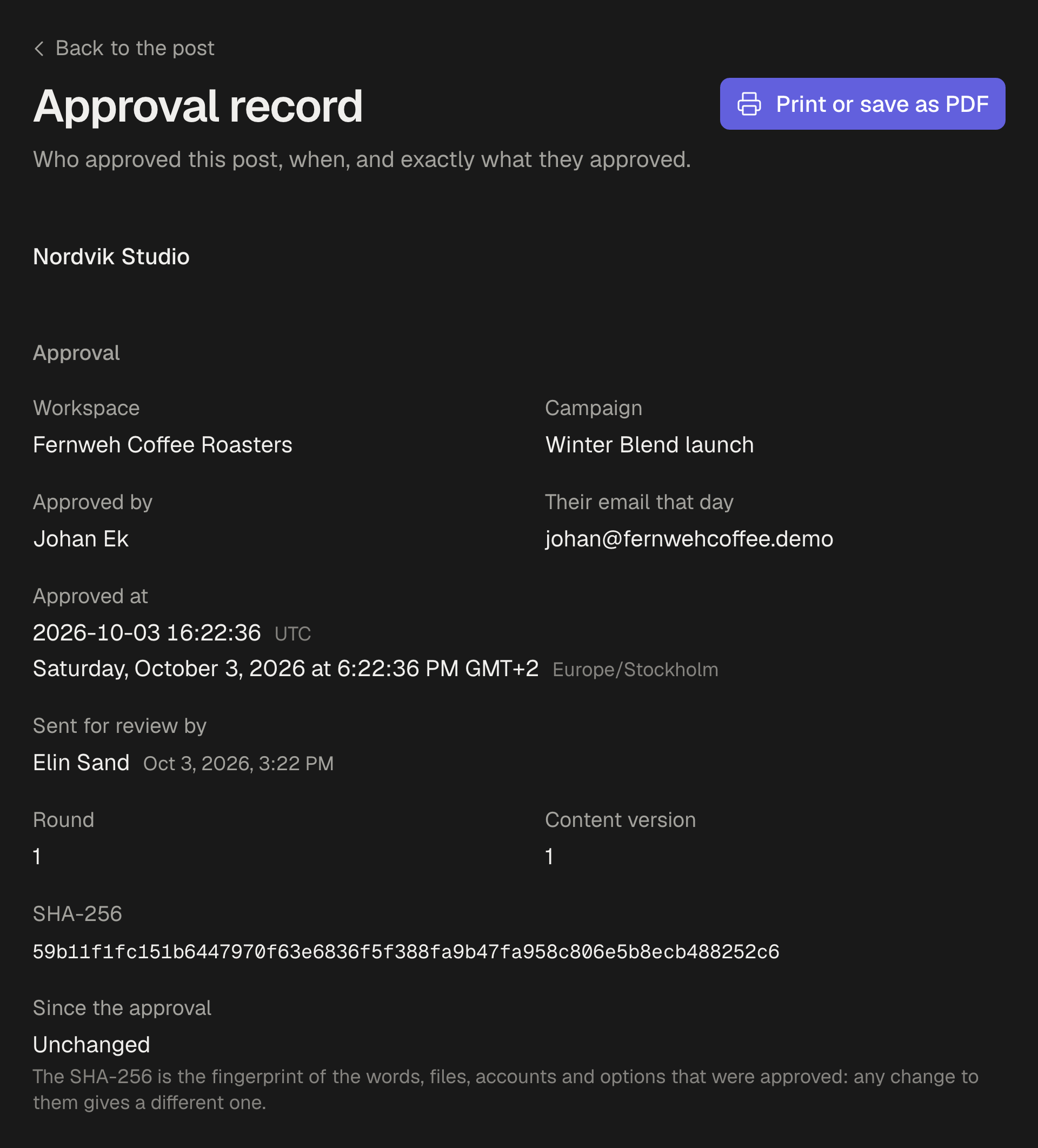
Each approved post keeps a record of who approved it, when, and exactly which version. Print it or save it as a PDF when someone asks what was agreed.
Who, and when
The reviewer's name and their email that day, and the moment they approved, in UTC and in your workspace's time zone.
Exactly which version
The words, files and accounts as they were approved, with a fingerprint that changes if any of them does. The record stays true even if the post is edited later.
Every decision in one file
Export the approvals of a period or a campaign as a CSV, one line per decision.
Your client sees your name.
On Pro and Business, add your agency's name and logo, and your client sees them on the invitation, at the top of their inbox, on every post and on every approval record. The emails they get carry your name too.
Set once for all your clients
Agencies keep one workspace per client, so the name and logo can be copied from one workspace to the next.
Part of Pro and Business
On Starter, your client sees the workspace's name instead.