“That is not what I approved”: what to show the client
A post goes out on Friday, and on Monday the client writes: “That is not what I approved.” Maybe they are right. This is how to know, in a minute, what they saw, when they said yes, and what happened to the post after that.
Rodolfo MotaFounder of SPREVA
The short version
When a client disputes a post, proof the client approved something is not enough: you need proof they approved this. A record worth keeping names who approved, when, and exactly which version, and says whether the post changed afterwards. In SPREVA each approval leaves that record by itself, the moment the client presses Approve. It prints or saves as a PDF, and a CSV gathers the decisions of a period.
Why a thumbs-up in a chat is not proof
Most approvals are a reply in a chat: a thumbs-up under a screenshot, “looks good” under a draft, “go ahead” at the end of a call. Each is real, and each is weak in the same way: it does not say which version it answered. The screenshot came before the price was corrected; the call covered four posts at once.
It does not always say who, either: in a group chat, the person who answered may not be the one who decides. And a month later, finding it means scrolling while the client waits.
What an approval record must hold
Whatever tool you use, an approval worth keeping answers four questions without anyone having to remember:
- Who. A named person, with the email address they had that day, not a nickname in a chat.
- When. The moment they approved, in a timezone both sides read the same way.
- What, exactly. The caption for each account, the pictures and the accounts as they were at that moment, and whether any of it changed afterwards.
- What came before. Earlier rounds and the notes that asked for changes, so the yes can be read in context.
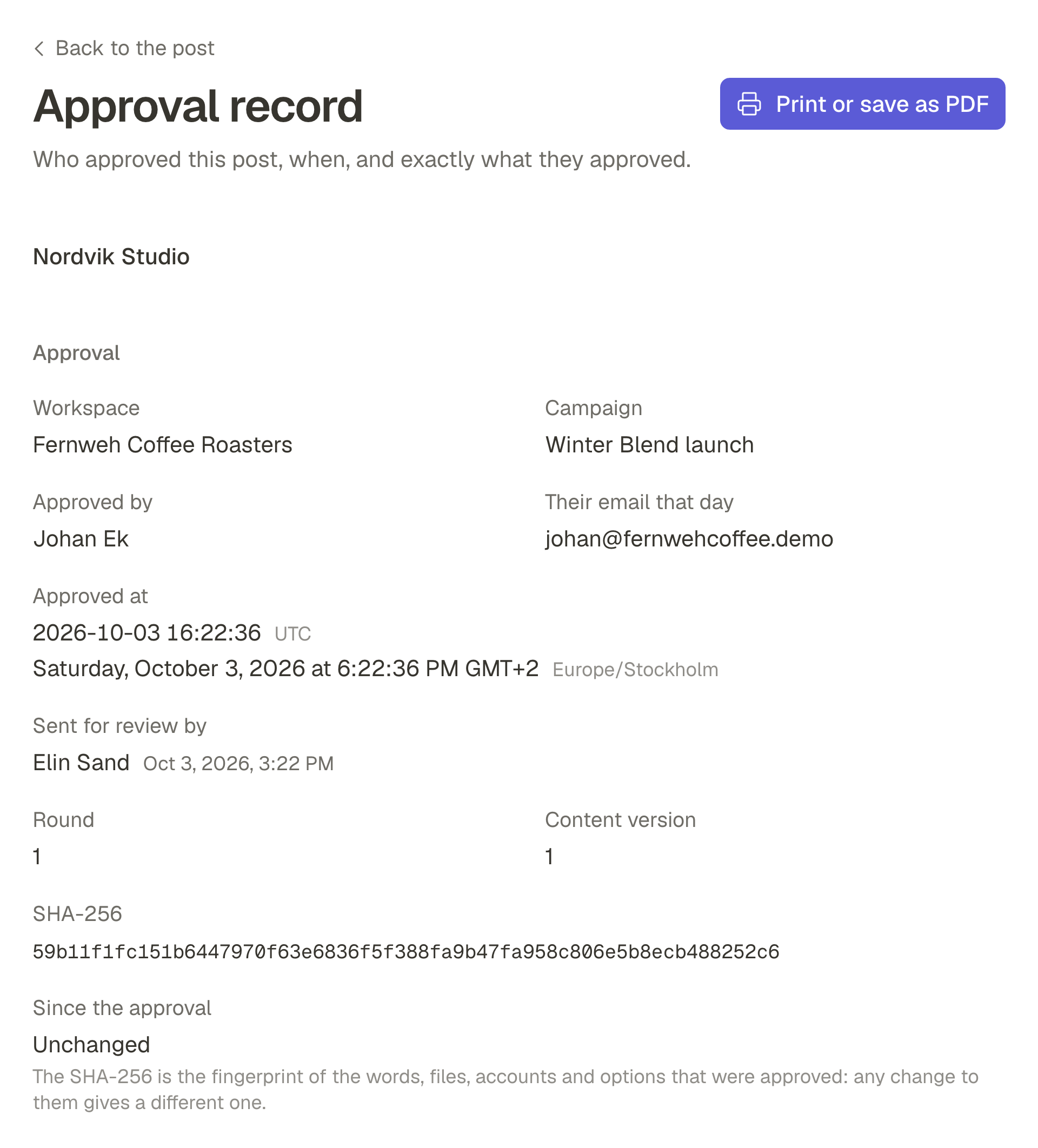
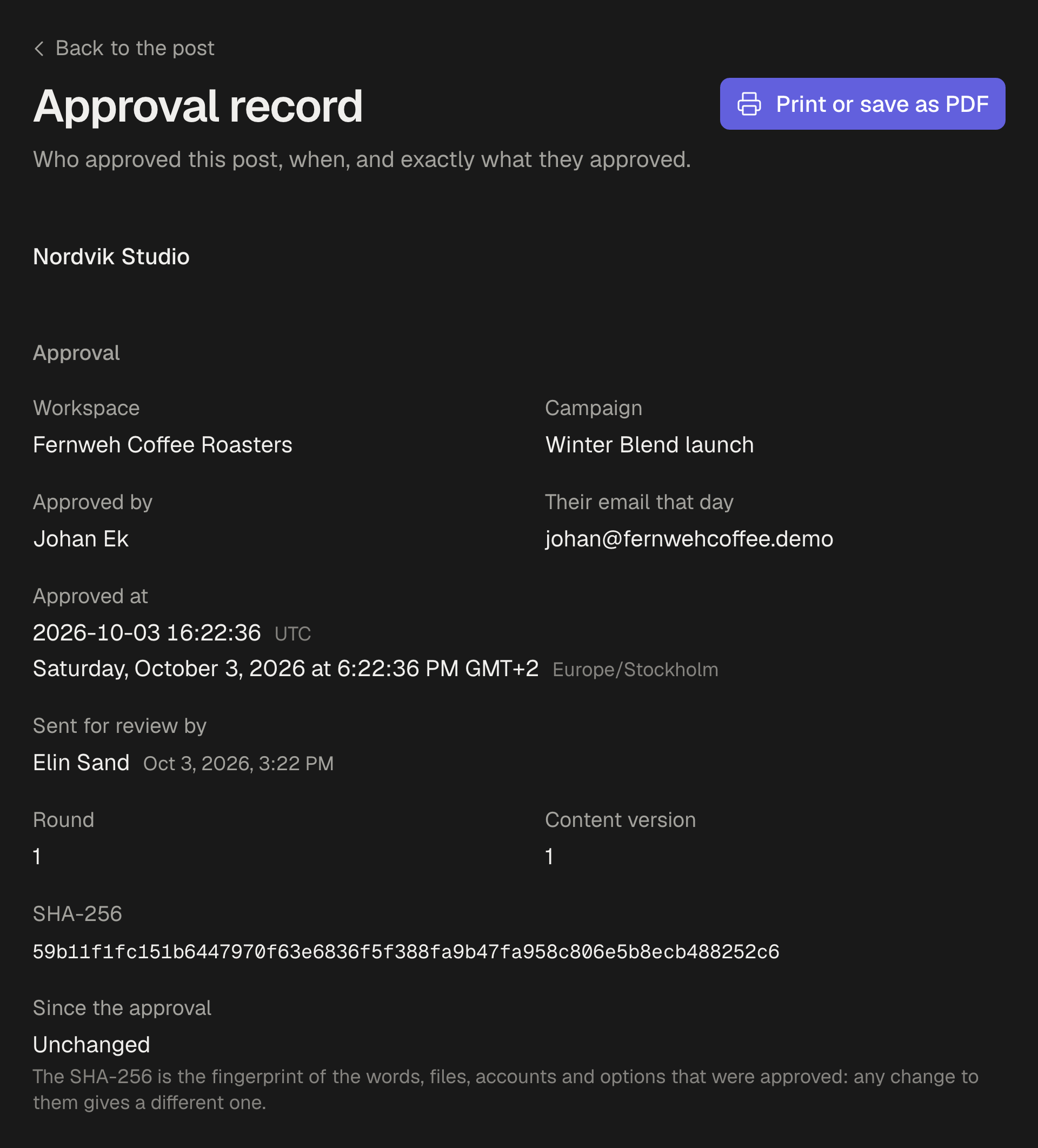
In SPREVA the approval makes this record itself: the client's name and email as they are that day, the time, and a copy of exactly what they were shown, with its fingerprint, a SHA-256 that would differ if a single word, file or account did. Earlier rounds stay with it, with their notes.
When the post changed after the yes
Posts change after approval: a typo, a price, a better photo. In SPREVA, changing the caption, a picture or the accounts of an approved post sends it back for approval, keeping its time. If the change was a slip, Undo brings back the approved version and the approval.
Moving only the time is different: the post is still the one approved, so it is not reviewed again. The move is written on the record, with who made it, and the client sees it on the post.
Printing the record, and a period in one file
Each approved post has an Approval record on its page, made to be printed: the post as approved, when it was planned and published, who approved and their email that day, the moment in UTC and in the workspace's timezone, the version with its fingerprint, and the earlier rounds. The browser prints it or saves it as a PDF.
For a period, Export approvals in Posts gives a CSV with one line per decision: who approved or asked for changes, when, and on which version, for a range of dates and, if you like, one campaign. It is the file to attach to a monthly report.
Using it calmly
A record is not a weapon, and the client who writes “that is not what I approved” is usually worried, not hostile. Open the record before you answer: either the post went out as approved, or it changed afterwards, and both are easier to discuss with the record than from memory.
If it went out as approved, say so plainly, attach the record, and offer what you can do now:
Hi Ana, I am sorry the post was not what you expected. I checked: you approved this version on Thursday at 4:12pm, and it went out unchanged on Friday at 9am. The approval record is attached. Tell me what you would like changed, and I will send you a new version to approve today.
If it changed after the approval, say that too, and what you will do differently. A record finds your own team's slip as readily as it shows what the client approved.
Keep the next approval on record
Invite one client as a Reviewer, send them a post, and open its Approval record once they approve it. Reviewers are free on every plan, up to 25 per workspace, and every plan starts with a 7-day trial. How client approval works.
Questions
Can the client see the record?
They see every post they answered, and when, on their own Reviewed tab. The printable record lives with the post in your workspace, so you send it to them as a PDF.
What if the person who approved leaves the client's company?
The record keeps the name and email they had the day they approved, and it stays after they are removed from the workspace.
Does moving a post's time undo its approval?
No. Moving only the time keeps the approval, and the move is on the record. Changing the caption, a picture or the accounts sends the post back for approval. How required approval works.
Who can export the CSV?
Owners and Admins, from Export approvals in Posts. Each line is one decision, with who, when and which version.
Written by
Rodolfo Mota
Founder of SPREVA
Makes SPREVA in Portugal: the Studio, the tools an agent works with, and the publishing behind them.
Keep reading
- The client never approved it, and it went out anywayA time moved, a caption fixed after the yes, a post scheduled in a hurry. How posts go out unapproved, and how SPREVA makes every post wait for a yes.
- The client has not approved and the post is due: publish, hold or skip?The post goes out at nine and the client has not answered. Why holding beats publishing, how to set an approval deadline, and what to agree on first.
- How to get a client to approve posts from their phoneClients drop tools that want a password and a seat. How a client approves posts from a phone in SPREVA: one email, a sign-in link, each post as it will look.