How to schedule Google Business Profile posts, for one location or many
An update on your Google Business Profile shows on the listing people find when they search for your business or look it up on Maps. Most businesses post one, then forget. This is how to keep updates going out on a schedule, for one location or twenty, alongside the rest of your posts.

Rodolfo MotaFounder of SPREVA
The short version
Connect the Google account that manages your business, and each location becomes an account in SPREVA. Write the update, up to 1,500 characters, add a photo and a link if you want, pick the locations, and schedule it or add it to a queue. Google shows the link as a Learn more button. It takes one photo per update, and no video.
What an update can carry
| Part | What Google takes |
|---|---|
| Text | Up to 1,500 characters |
| Photo | One, optional |
| Button | Learn more, made from the post's link |
| Video | Not accepted on updates |
One location or many
One Google sign-in brings in every location of every business that Google account manages, and each becomes an account of its own. Pick them all in one post for news that applies everywhere, and give a location its own text under Per account when it needs one, such as its own opening hours for the holidays.
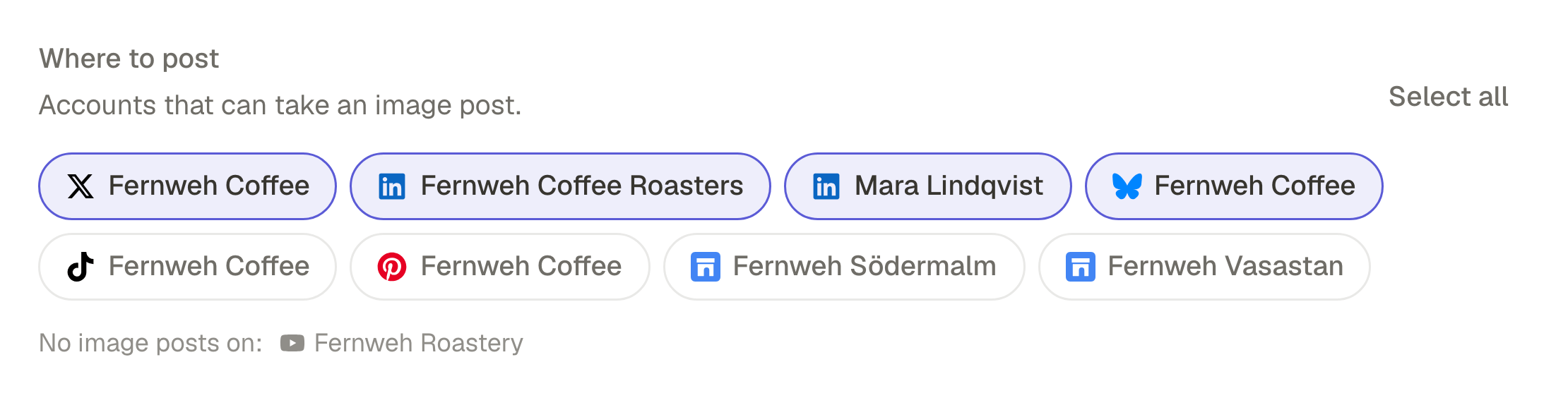
Scheduling an update, step by step
- 1
Connect Google Business Profile in SPREVA with the Google account that manages the business.
- 2
Press New in the sidebar, choose Post, then Text Post or Image Post.
- 3
Pick the locations, write the update and add a photo.
- 4
Add a link: Google shows it on the update as a Learn more button.
- 5
Schedule it, or Add to queue.
What to post on a listing
An update is read by someone already deciding whether to come. Give them what they want to know:
- This week's special, with its photo.
- New or holiday opening hours, before the day.
- An event, with the date in the first line.
- Something new on the shelf or the menu, with a link to it.
Keep the first lines plain and specific: a listing shows only the start of an update until someone opens it.
The same post on your other accounts
An update can go out in the same post as Instagram, Facebook and the rest, each with its own text. If the post has a video, SPREVA tells you before you publish that Google will not take it: swap it for a photo for the locations, or send the video to the other accounts only.
What you can measure
Google stopped giving statistics for individual posts in February 2023. So for Google Business Profile, SPREVA shows whether each update went out, not how many people saw it. The other accounts in the same post report their numbers as usual.
Schedule a month of updates
Connect your business, make a queue with one time a week, and add a month of updates to it. Every plan starts with a 7-day trial.
Questions
Can I schedule Google Business Profile posts?
Yes. Write the update, add a photo and a link if you want, and publish now, on a date or through a queue.
Can I post to several business locations at once?
Yes. Each location is an account of its own in SPREVA. Select them all in one post.
Can I add a video to a Google Business Profile update?
No. Google accepts one photo on an update, not a video. SPREVA tells you before you publish, and the video can still go to your other accounts.
Can I schedule offers and events?
Not from the editor yet: an update from SPREVA is text, a photo and a Learn more button. Put the offer or the event in the text, with its dates.
What if Google rejects an update?
SPREVA says so on the post, with Google's reason, for example when an update does not meet its content policy. The other accounts go out as planned.
Can I see how each update performs?
Not per update. Google stopped offering statistics for individual posts in February 2023, so SPREVA shows whether each update went out, not how many people saw it.
Written by
Rodolfo Mota
Founder of SPREVA
Makes SPREVA in Portugal: the Studio, the tools an agent works with, and the publishing behind them.
Keep reading
- How to manage social media for several clients without posting to the wrong oneOne workspace per client, accounts that cannot cross, a free reviewer each and a plan each. How an agency keeps clients apart in SPREVA, and what it costs.
- How to automate social media posting without sounding like a botQueues, bulk scheduling, an API and AI agents: four ways to automate social media posting in SPREVA, and the habits that keep automated posts sounding like you.
- Character limits for every social network in 2026Instagram 2,200, LinkedIn 3,000, X 280, Threads 500, Bluesky 300: the text limit of every network SPREVA publishes to, in two tables, and how each one counts.