TikTok slideshows from your AI agent, and why they should land in your drafts
A photo slideshow is the cheapest thing to make on TikTok and the most tedious to post: eight pictures in order, a title, a caption, a sound. An AI agent connected to SPREVA can do all of it except the part TikTok keeps for its own app. This is the workflow, prompt by prompt, and why the last step stays yours.

Rodolfo MotaFounder of SPREVA
The short version
Connect an AI agent to SPREVA and ask it for a TikTok slideshow. It finds the pictures in your library or makes new ones, puts them in order, writes the title and the caption, and sends the post to your TikTok drafts. You open TikTok, add a sound and any text on the photos, and post it. The agent does the assembling; you do the part that decides whether it works.
Why drafts, and not straight to the feed
SPREVA can publish a photo post straight to TikTok. For a slideshow, the draft is still where the post gets finished, for three reasons:
- The sound is chosen in TikTok. The sounds people use live in TikTok's own library, and the app is where you pick one and where it starts.
- Text on the photos is placed in TikTok. The app's text tool puts a line on each photo in TikTok's own style, which reads better than words drawn into a picture.
- A person looks before it is public. An agent can pick the wrong photo or write a clumsy line. In your drafts that costs nothing; on your profile it costs a post.
From the photos you already have
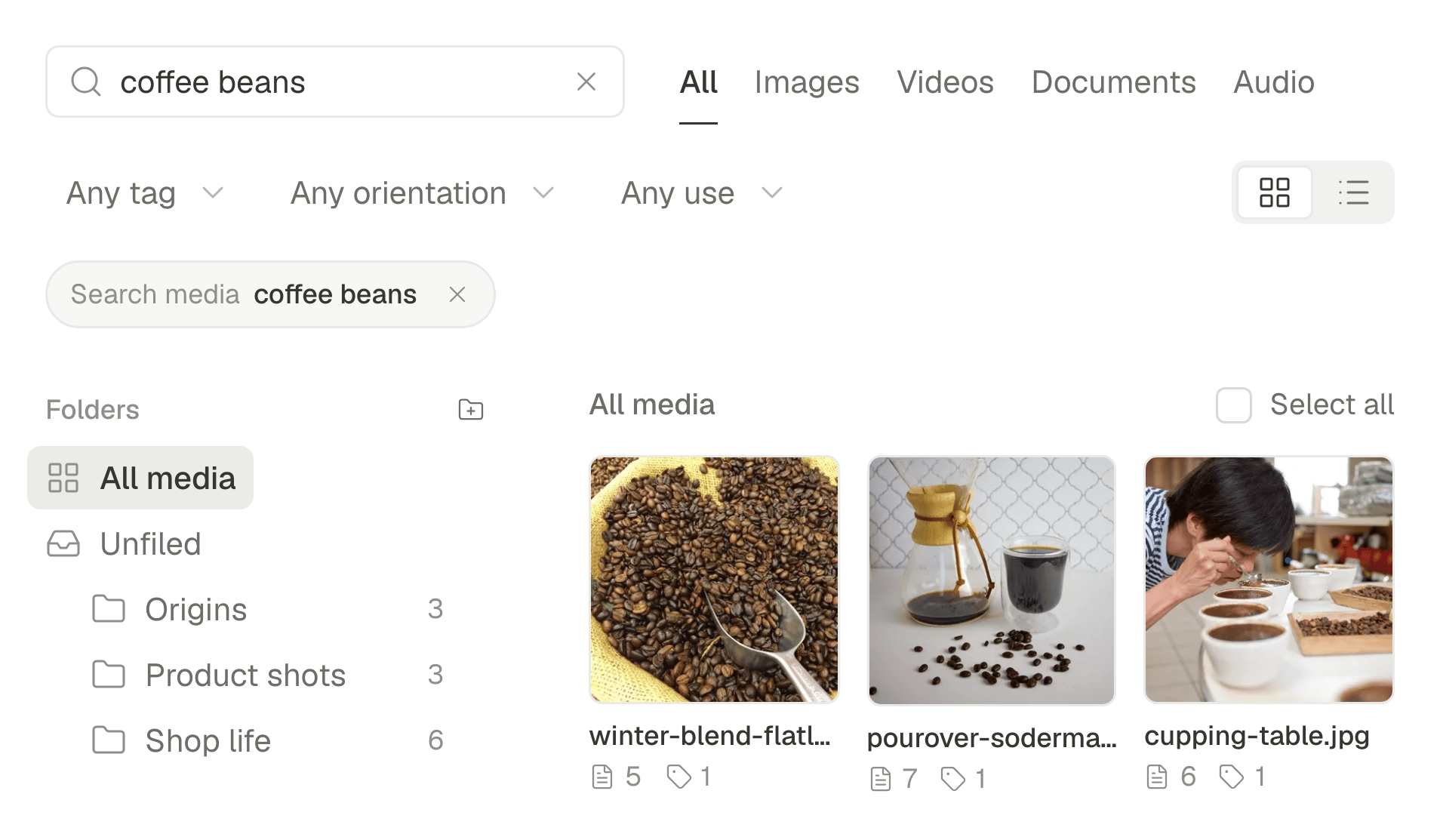
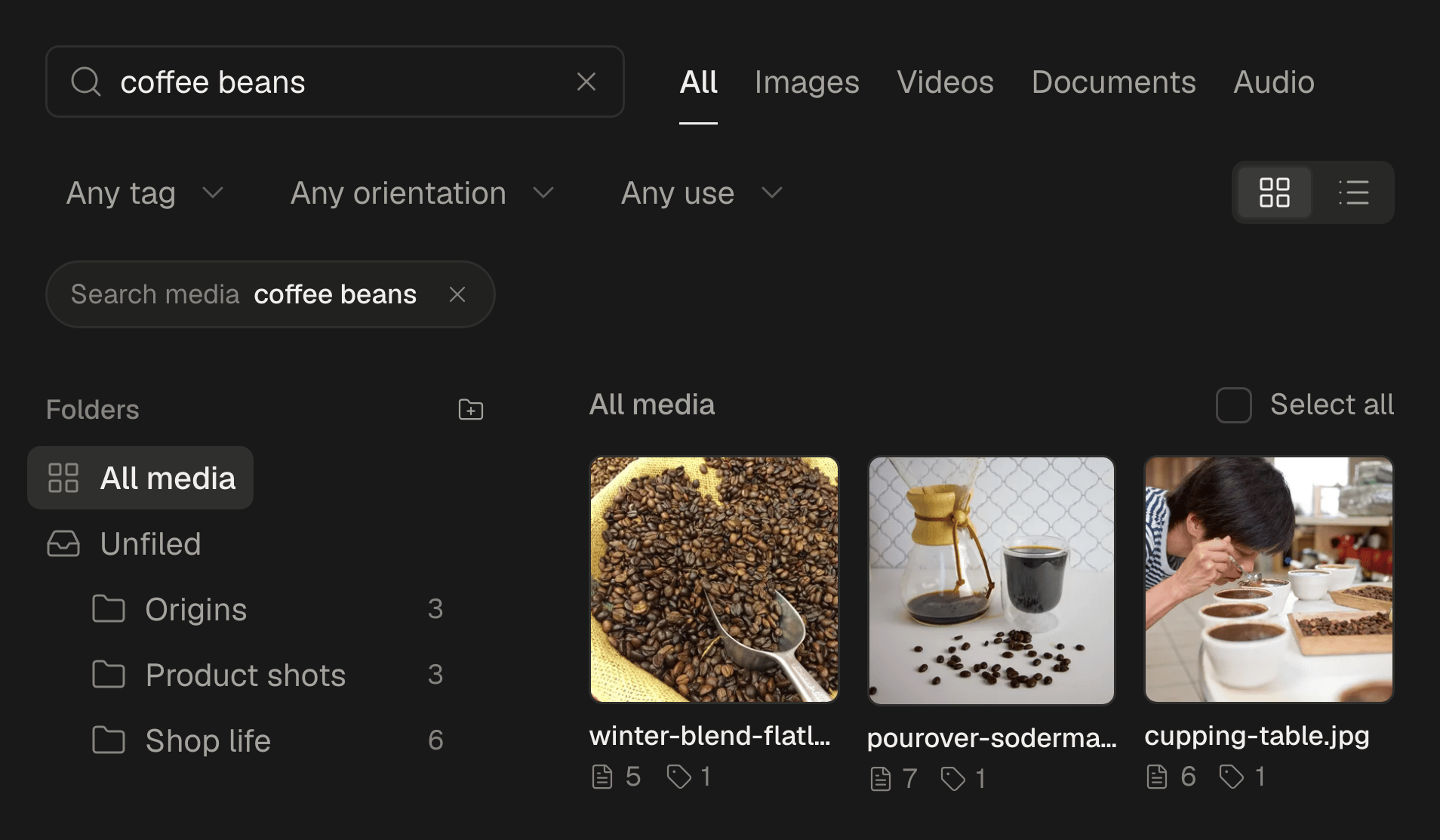
Start from your library. Ask for the photos by what they show, and say where the post should end up:
Make a TikTok photo post from my library: six photos of the new autumn menu, starting with the pumpkin tart and ending with the shop front. Write a title under 90 characters and a caption with three hashtags. Send it to my TikTok drafts, don't publish it.
The agent searches the library by what each picture shows, since every upload is described as it arrives. It makes a post with the photos in that order, chooses Photo for your TikTok account and Send to TikTok drafts. Sending counts as publishing in SPREVA, so by default the agent shows you the post and asks before it goes.
When there are no photos yet
The agent can make the pictures too:
Make six portrait images for a TikTok slideshow on how we roast coffee, one step each, the same warm light in all of them, no text in the images. Show them to me before you build the post.
Each image costs 10 credits, and the agent asks before it spends them. If your library already has pictures that fit, it shows you those first and spends nothing. Ask for no text in the images: words drawn by an image model are often misspelt, and you will add better ones in TikTok.
Finishing it in TikTok
TikTok lets you know a draft is waiting, and SPREVA marks the post as waiting for you. Open it in the app and:
- Check the order, and take out any photo that does not belong.
- Add a sound from TikTok's library.
- Put one line of text on the first photo: it is the one people see while they decide whether to swipe.
- Post it.
Drafts need a recent version of the TikTok app on your phone. If yours is too old, SPREVA tells you, and updating TikTok fixes it.
What SPREVA checks before sending
- Up to 35 photos in one post.
- A title of up to 90 characters, which TikTok shows on a photo post. A longer one is cut at a word, and SPREVA warns you first.
- Each photo at most 1080 pixels on its shorter side, as TikTok asks.
Try it with one slideshow
Connect TikTok and your agent, upload a dozen photos, and ask for one slideshow in your drafts. MCP works on every plan, and every plan starts with a 7-day trial with 300 AI credits. Connect your agent.
Questions
Can the agent publish the slideshow without drafts?
Yes. Choose Post to TikTok instead of drafts and it goes out at its time, with the audience and the settings SPREVA shows for your account. Publishing now asks you first; scheduling an hour or more ahead does not.
Can the agent add music?
Not a sound of its choosing. Posting directly, it can ask TikTok to add one automatically; a draft arrives without one, and you pick it in the TikTok app.
Which AI agents can do this?
Any agent connected to SPREVA over MCP, ChatGPT, Claude and Gemini among them. 17 agents have a setup page. Find yours.
Do I need to label photos made with AI?
TikTok asks creators to say when content was made with AI. Turn on Content was made with AI in the post's TikTok settings, or ask the agent to; SPREVA never sets it on its own.
Which plan do I need?
Building the post and sending it to your drafts works on every plan. Making new images is one of the Studio tools, on Pro and Business.
Written by
Rodolfo Mota
Founder of SPREVA
Makes SPREVA in Portugal: the Studio, the tools an agent works with, and the publishing behind them.
Keep reading
- A week of social media from one conversation with your AI agentMonday's photos become a video, Tuesday's post goes to every network in its own words, the queue fills itself and Friday brings the numbers. A week with an AI agent connected to SPREVA, prompt by prompt.
- How to let an AI agent manage your social media safelyLet Claude, ChatGPT or another AI agent draft, schedule and publish your social media without giving it your passwords: what it can see, what it must ask first, who can approve, and how to switch it off.
- A media library that knows what is in itFolders and file names stop working at about a hundred files. What SPREVA does instead: every upload described and tagged as it arrives, videos transcribed, alt text suggested, and a search that understands “the window at dusk”.