A media library that knows what is in it
The best photo for a post is usually one you already have and cannot find. Here is what happens to a file when it arrives in SPREVA, and why that changes what an agent can do with it.
Rodolfo MotaFounder of SPREVA
The short version
When you upload a file to SPREVA, it is described, tagged and, if it is a video, transcribed, before you have named it anything. Search then works on what a file shows or says, not on what it is called. The same descriptions are what let an agent pick the right picture for each line of a script, or suggest alt text before you ask.
Why folders stop working
A folder is a decision made once, at upload, about the one way you will look for this file later. “Menu / September” is fine until you need every photo with a person in it, or every clip where someone says the word “roast”, or the picture of the window at dusk that you know exists. Nobody tags for those questions in advance, and after a few hundred files nobody looks through the tiles either.
The cost is not lost files. It is the photo you reuse for the fourth time because it was on the first screen, and the good one from March that no post ever used.
What happens when a file arrives
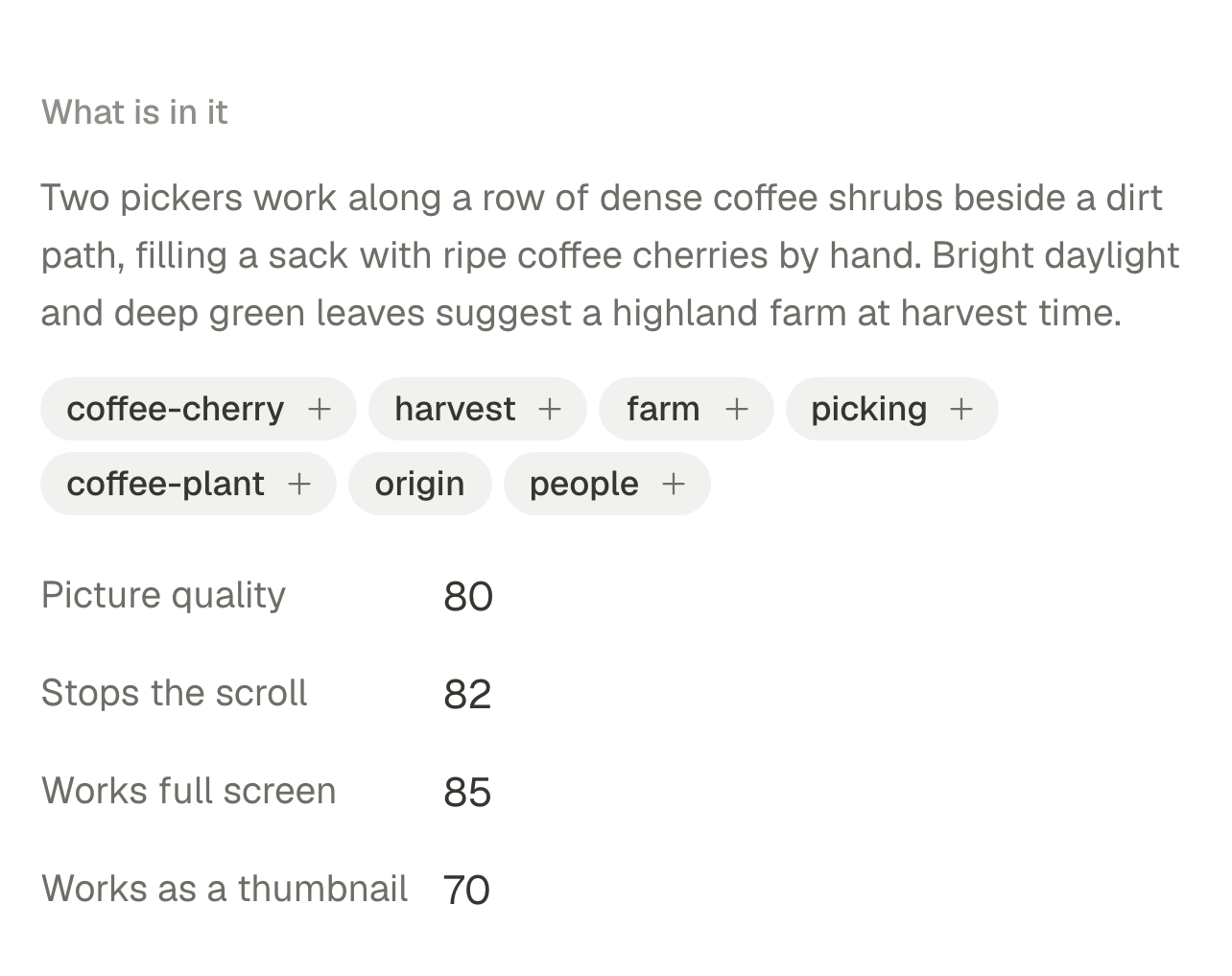
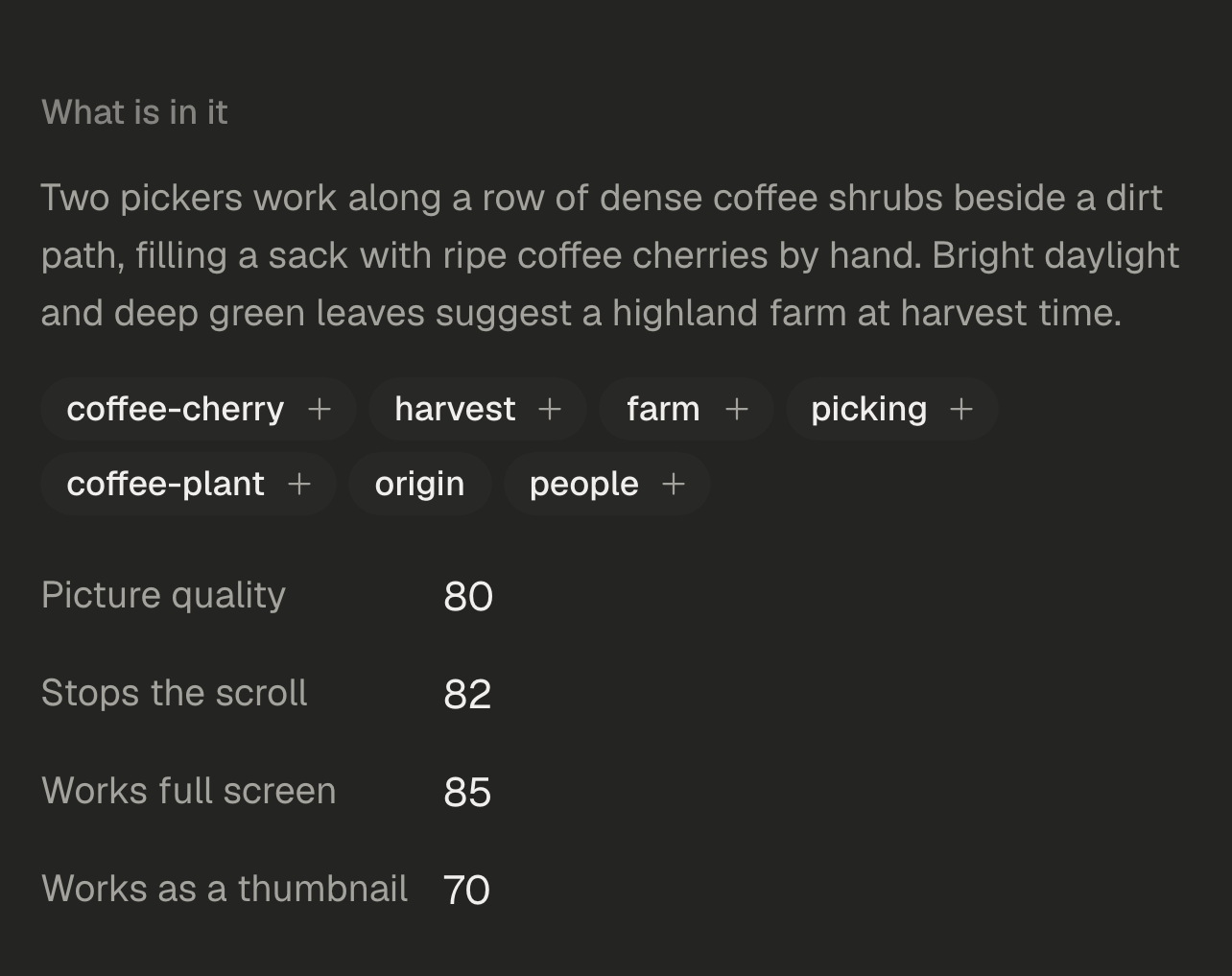
Each upload is looked at as it arrives, and the result is kept beside it:
- A description of what the picture shows, in plain words: the place, what is happening, the light.
- Tags, from the same look, so “outdoor”, “people” or “product” find it later.
- A transcript for a video, so what is said in it can be searched, and clips can be cut on whole sentences.
- Alt text, suggested from the description and ready to be edited, so a post can carry it without anyone writing it at 11pm.
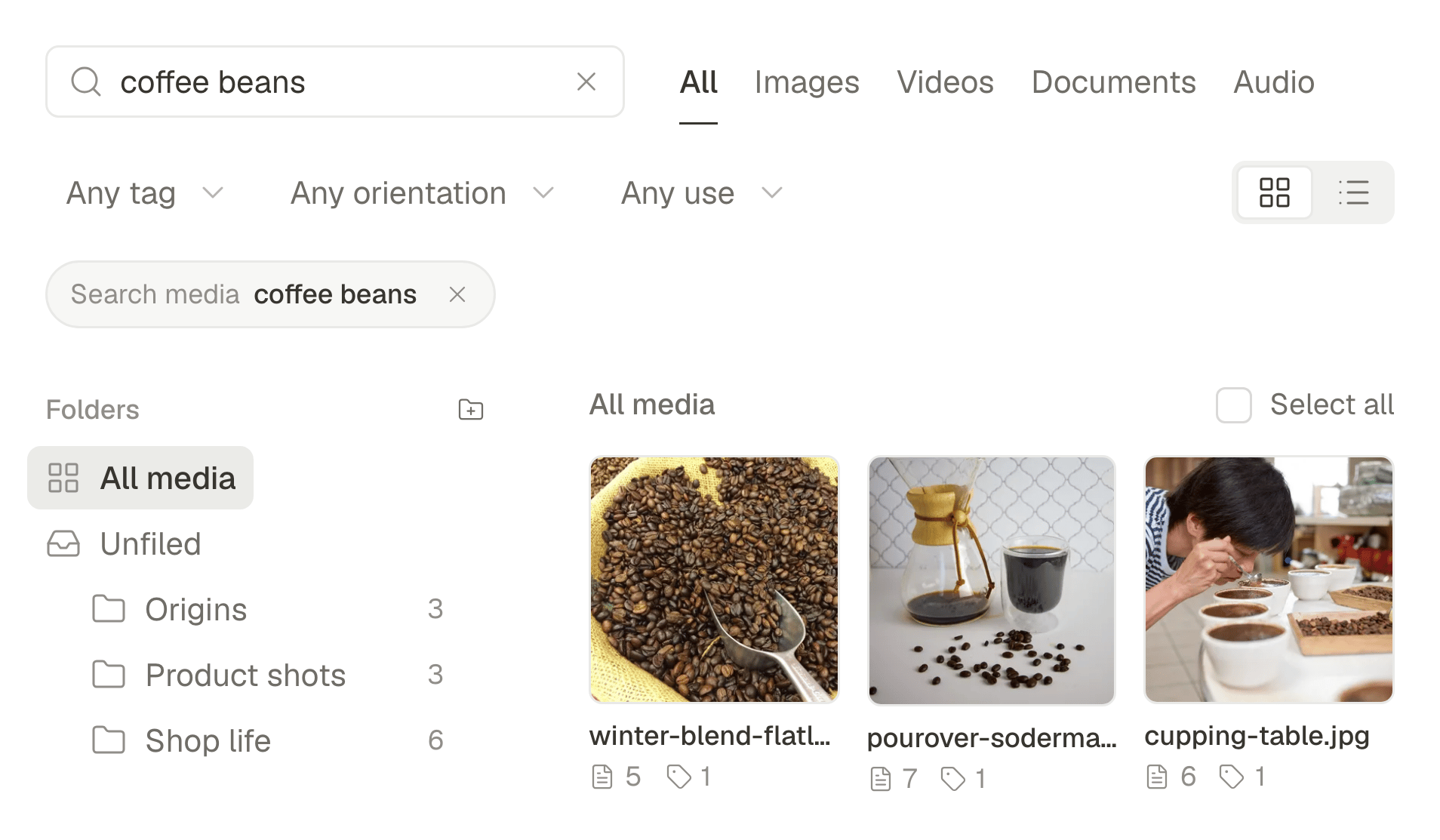
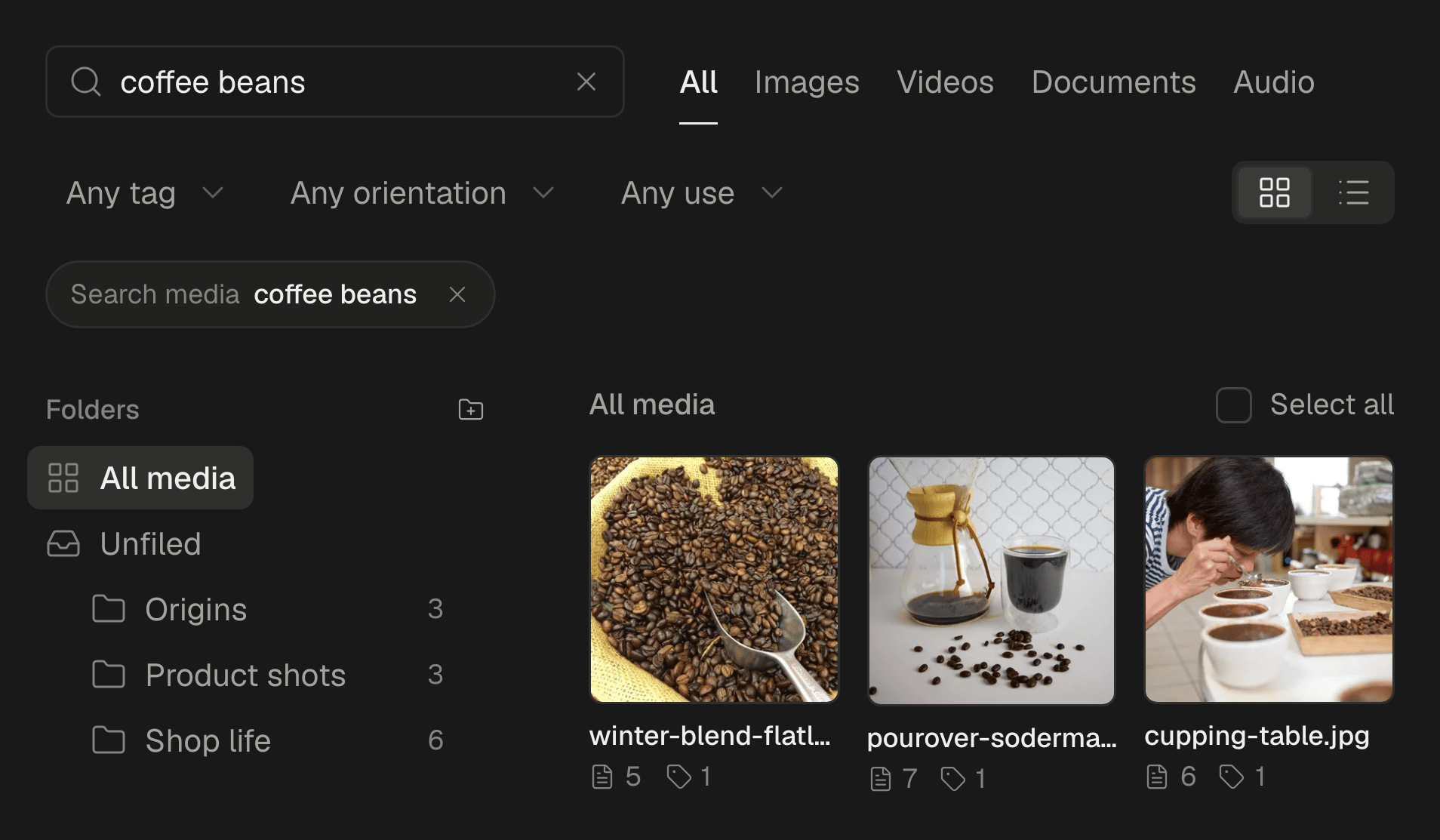
Search by what it shows
Search reads the descriptions and the transcripts. Type what you remember (“window at dusk”, “the clip where she laughs”, “anything with the red bag”) and the matches are the files that show or say it, whatever they are called and whichever folder they went into.
Folders still exist for what they are good at, which is keeping a client's or a campaign's files apart. They are no longer the only way in.
What it changes for an agent
An agent can only use what it can find. With descriptions, “the five photos from yesterday's tasting” is a search, not a guess, and each line of a script can be matched to the picture that shows what it says. That is how a video from photos gets built in one step:
Make a 20 second vertical video about the new espresso, using the best photos from Tuesday's shoot. Skip the ones with people in them.
The agent finds Tuesday's photos, leaves out the ones whose descriptions mention people, writes the script and puts each line on the photo that fits it. You correct a choice if you want to: there is a picture to correct, rather than a blank. The whole flow, step by step.
Alt text, done before you ask
Alt text is the thing everyone means to write and few posts carry. Because a description already exists, SPREVA suggests alt text from it for every image in a post, and you edit it rather than write it.
Bring your library
Upload a folder you have stopped looking through and search it for something you remember but never tagged. Then ask your agent for a video from what it finds. Every plan starts with a 7-day trial, and uploads take JPEG, PNG, WebP, AVIF, GIF and video up to 1 GB.
Questions
Which files can I upload?
JPEG, PNG, WebP, AVIF and GIF, and video up to 1 GB. HEIC and RAW are not accepted yet, so share iPhone photos as JPEG.
What about videos?
A video is transcribed, so you can search what is said in it, and clips are cut on whole sentences from that transcript: up to 10 a run, with captions.
Can my agent use the library?
Yes. Any agent connected over MCP can search it, upload to it and match photos to a script, under the same rules as everything else it does. What an agent can do in SPREVA.
Écrit par
Rodolfo Mota
Founder of SPREVA
Makes SPREVA in Portugal: the Studio, the tools an agent works with, and the publishing behind them.
À lire aussi
- Why a video made by an AI agent should stay editableAn AI agent can make a video in a minute. The question is what happens when you want the second scene shorter. Why SPREVA keeps every video an editable project, and what that changes for the person asking.
- Comment transformer des photos en Reel avec une voix off et des sous-titresTransformez quelques photos en Reel vertical avec une voix off IA et des sous-titres synchronisés sur chaque mot, modifiez-le en le demandant et programmez-le sur Instagram, TikTok et YouTube Shorts. Étape par étape, dans l’application ou depuis ChatGPT ou Claude.
- Comment découper un podcast ou un stream en clips pour TikTok et les ShortsTransformez un épisode de podcast ou un stream en 10 clips verticaux sous-titrés au maximum : trouvez les moments à partager, coupez sur des phrases entières, disposez les caméras et programmez les clips sur TikTok, YouTube Shorts, Reels et LinkedIn.